
Key facts
- Brand
- Cisco
- Model
- 8800 系列
- Industry
- Electronics
- Documents
- 4
- Languages
- ZH · EN
- Last added
- 2026-11-15
Start here
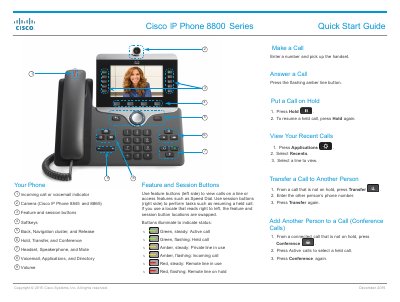
Cisco 8800 Series IP Phone Quick Start Guide
This guide provides step-by-step instructions for basic phone operations such as making and receiving calls, putting calls on hold, transferring, and initiating conference calls. It also covers configuring voicemail, adjusting settings like ringtone and brightness, and using feature buttons for speed dial and call control. The guide includes specific instructions for models 8845 and 8865, such as camera controls. This manual is written in Chinese.
Read onlineCisco 8800 系列 specifications
| Cisco 8804 form factor | 4-slot 10RU modular router with 57.6 Tbps network bandwidth |
|---|---|
| Cisco 8818 form factor | 33-RU modular router supporting distributed forwarding across FRUs |
| Cisco 8812 form factor | 21-RU modular router supporting distributed forwarding across FRUs |
| Cisco 8808 form factor | 16-RU modular router supporting distributed forwarding across FRUs |
| PSU4.8KW-DC100 nominal input voltage | 48 V 100 A DC |
| PSU4.8KW-DC100 input tolerance | -40 to -75 VDC |
| Cisco 8818 power trays | Up to six power trays |
| Operating temperature | Up to 40 °C at sea level |
Source: Cisco 8800 Series Routers Hardware Installation Guide
All Cisco 8800 系列 documents by type
The shortest path to a working setup, usually only a few pages.
Day-to-day operation, settings and troubleshooting. Start here if the product is already set up.
Mounting, wiring and first power-up. Read it before the hardware goes in.
Questions answered in these manuals
How do I answer a call on the Cisco 8800 Series phone?
Press the flashing amber line button.
How do I put a call on hold?
Press Hold. To resume, press Hold again.
What is the rack-unit height of the Cisco 8804 router?
The Cisco 8804 is a 10-RU modular router.
What input voltage does the PSU4.8KW-DC100 power supply accept?
It accepts a nominal 48 V 100 A DC input.