
Key facts
Start here
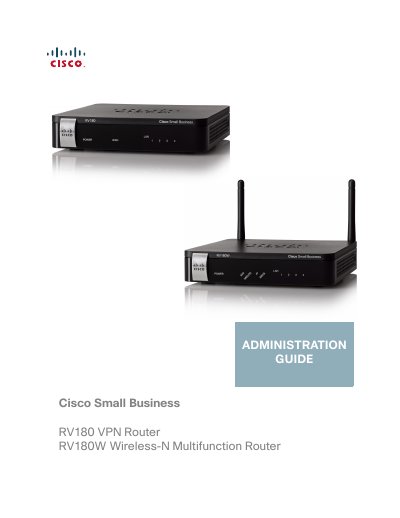
Cisco RV180/RV180W Administration Guide
This document serves as the administration guide for the Cisco RV180 and RV180W small business routers. It provides comprehensive instructions for setting up the device, configuring networking parameters such as WAN and LAN settings, and managing wireless networks. The guide also details security configurations, including firewall rules, VPN setup, and captive portal authentication.
The manual includes step-by-step procedures for using the Setup Wizard, navigating the Device Manager interface, and administering the router through various management protocols like SNMP and logging. It also covers advanced features such as Quality of Service (QoS), port forwarding, and the installation of the Cisco QuickVPN client software.
Cisco RV180 specifications
| Wireless Standard | IEEE 802.11n, 802.11g, 802.11b |
|---|---|
| LAN Ports | Four (4) Gigabit 10/100/1000 Mbps |
| WAN Port | One (1) Gigabit 10/100/1000 Mbps |
| NAT Speed | 800 Mbps |
| Simultaneous Sessions | 12,000 |
| IPSec VPN Speed | 50 Mbps |
| VLAN Support | 4 active VLANs (range 3 to 4096) |
| Operating System | Linux |
All Cisco RV180 documents by type
Ratings, dimensions and ordering codes, for selection and design work.
Day-to-day operation, settings and troubleshooting. Start here if the product is already set up.
Questions answered in these manuals
What languages does the user interface support?
The GUI supports English, French, Italian, German, Spanish, and Japanese.
Does the router support IPv6?
Yes, it supports IPv4 and IPv6 dual stack.
What operating systems are supported by the Cisco QuickVPN software?
The Cisco QuickVPN software is designed for use with Windows 7, 2000, XP, or Vista.
What steps are required to install the QuickVPN software from a CD-ROM?
Insert the CD-ROM into your drive, click the Install QuickVPN link in the Setup Wizard, accept the agreement, choose an installation folder, and click Finish.