
Key facts
Start here
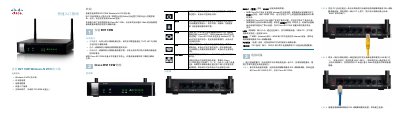
Cisco RV110W Wireless-N VPN Firewall Quick Start Guide
This document provides instructions for the physical installation of the Cisco RV110W Wireless-N VPN Firewall. It covers placement requirements, connecting the device to power and network equipment, and initial setup steps. This manual is written in Chinese.
Read onlineCisco RV110W specifications
| Operating Temperature | Do not operate above 104°F (40°C) |
|---|---|
| Default IP Address | 192.168.1.1 |
| Default Username | cisco |
| Default Password | cisco |
| Power Requirement | 12VDC |
Source: Cisco RV110W Wireless-N VPN Firewall Quick Start Guide
All Cisco RV110W documents by type
The shortest path to a working setup, usually only a few pages.
Day-to-day operation, settings and troubleshooting. Start here if the product is already set up.
Questions answered in these manuals
What are the default login credentials for the device?
The default username is cisco and the default password is cisco.
From: Cisco RV110W Wireless-N VPN Firewall Quick Start Guide
How do I reset the device to factory defaults?
Press and hold the RESET button for more than 10 seconds.
From: Cisco RV110W Wireless-N VPN Firewall Quick Start Guide
Which web browsers can be used to configure the Cisco RV110W?
The built-in web server works with Internet Explorer, Firefox and Safari.
From: Cisco RV110W Wireless-N VPN Firewall Administration Guide
How many VPN tunnels does the Cisco RV110W support?
It supports up to five client-to-gateway VPN tunnels for secure remote connectivity.
From: Cisco RV110W Wireless-N VPN Firewall Administration Guide