
Key facts
- Brand
- Casio
- Model
- EX-F1
- Category
- Digital cameras
- Industry
- Electronics
- Documents
- 8
- Languages
- EN · JA · ZH
- Last added
- 2012-06-05
Start here
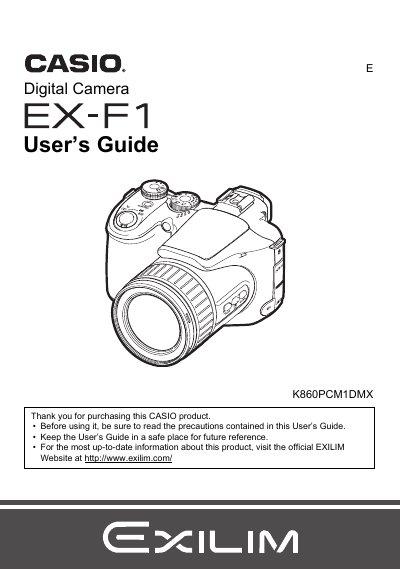
Casio EX-F1 Digital Camera User's Guide
This manual provides instructions for using the CASIO EX-F1 digital camera. It begins with unpacking checks and initial setup steps such as charging the battery and configuring display settings. The guide details how to shoot snapshots in various modes, including continuous shutter and bracketing, as well as recording high-definition movies.
Read onlineCasio EX-F1 specifications
| Battery model | NP-100 |
|---|---|
| Rated voltage | 74 V |
| Rated capacity | 1950 mAh |
| Operating temperature | 0 °C to 40 °C |
| Dimensions (W × H × D) | 36.2 mm × 53.6 mm × 23.3 mm |
| Weight | 85 g |
| Input voltage | 100 V–240 V AC, 200 mA, 50/60 Hz |
| Output voltage (charging) | 8.4 V DC, 560 mA |
Source: CASIO EX-F1digital camera Manual
All Casio EX-F1 documents by type
Day-to-day operation, settings and troubleshooting. Start here if the product is already set up.
- Casio EX-F1 Digital Camera User's Guide 185 p
- Casio EX-F1 Digital Camera User's Guide 186 p
- CASIO EX-F1digital camera Manual 185 p
- CASIO digit cameraEX-F1 user manual
- CASIO digital cameraEX-F1 user manual
- Casio EX-F1 Digital Camera User Manual 185 p
- Casio EX-F1 Digital Camera User Manual 185 p
- CASIO digital camera EX-F1 user manual
Questions answered in these manuals
What items are included when unpacking the camera?
The package includes a rechargeable lithium ion battery, power cord, strap, remote shutter release, USB cable, AV cable, CD-ROM, and Basic Reference.
What is the pixel yield of the LCD panel?
The liquid crystal panel used for the monitor screen and viewfinder employs high-precision technology that provides a pixel yield of 99.99%.
Where can I find the official website for this product?
You can visit the official EXILIM Website at http://www.exilim.com/ for up-to-date information.
What happens if I see dead pixels on the LCD panel?
Some very small number of pixels may not light or remain lit due to the characteristics of the liquid crystal panel, which does not indicate a malfunction.
How long does it take to fully charge the battery?
Charging the battery with the NP‑100 charger takes about 4 hours 30 minutes.
What shooting mode should I use for continuous shooting?
Select the CS (continuous shooting) mode using the mode dial to capture a series of images.