
Key facts
- Brand
- Casio
- Model
- EX-FS10
- Category
- Digital cameras
- Industry
- Electronics
- Documents
- 3
- Languages
- EN · JA
- Last added
- 2012-06-05
Start here
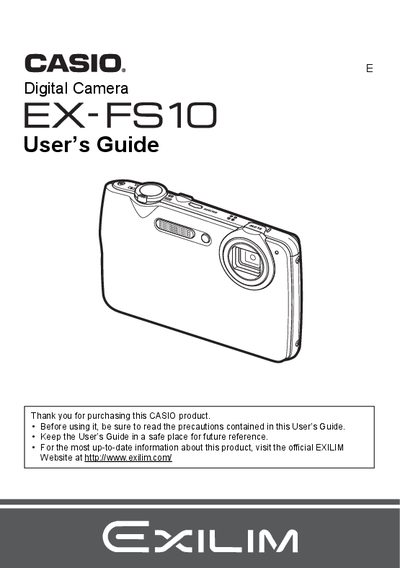
Casio EX-FS10 Digital Camera User's Guide
The Casio EX-FS10 is a digital camera designed for capturing snapshots and high-definition movies. This manual guides users through initial setup, including charging the NP-60 battery and formatting memory cards. It details how to operate the control panel to adjust settings such as ISO sensitivity, white balance, and zoom levels.
Read onlineCasio EX-FS10 specifications
| Battery type | Lithium‑ion rechargeable (NP‑60) |
|---|---|
| Battery rated voltage | 3.7 V |
| Battery capacity | 20 mAh |
| Battery operating temperature | 0 °C to 40 °C |
| Battery dimensions (W × H × D) | 37.9 mm × 42.3 mm × 5.0 mm |
| Battery weight | ≈ 18 g |
| Charger input voltage | 100 V – 240 V AC, 50/60 Hz |
| Charger output voltage | 4.2 V DC |
| Charger output current | 600 mA |
| Charger operating temperature | 5 °C to 35 °C |
| Charger dimensions (W × H × D) | 60 mm × 20 mm × 86 mm |
| Charger weight | ≈ 62 g |
All Casio EX-FS10 documents by type
Day-to-day operation, settings and troubleshooting. Start here if the product is already set up.
Questions answered in these manuals
What memory cards are supported?
The manual lists 'Supported Memory Cards' as a specific section for loading and formatting, but does not specify the exact types in the provided text.
How do I shoot with slow motion view?
You can use the Slow Motion View feature to record high-speed movies or snapshots.
How do I charge the EX‑FS10 battery?
Insert the NP‑60 battery, connect the supplied BC‑60D charger to an AC outlet, and charge for about 90 minutes.
How can I transfer photos from the EX‑FS10 to a computer?
Connect the camera to a computer using the USB cable, or use a PictBridge‑compatible printer for direct printing.