
Key facts
- Brand
- Casio
- Model
- CFX-9800G
- Category
- Other Electronics
- Industry
- Electronics
- Documents
- 2
- Languages
- EN
- Last added
- 2012-05-02
Start here
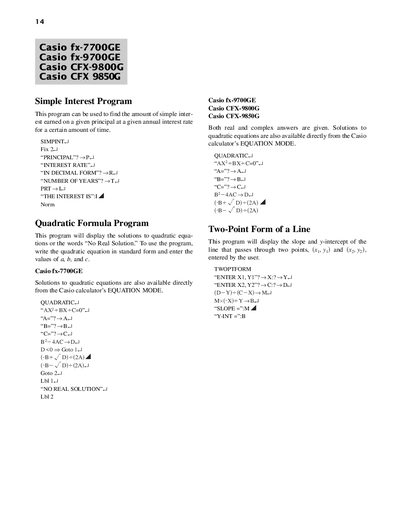
Casio fx-7700GE, fx-9700GE, CFX-9800G, CFX-9850G Programming Manual
This document contains a collection of BASIC‑style programs for Casio scientific calculators. Each program includes input prompts and step‑by‑step instructions for calculations such as simple interest, quadratic solutions, line slope, and system of equations.
The programs also cover graphing functions, reflections, horizontal and vertical shifts, and summation of series. Users can enter the required parameters, run the program, and view results directly on the calculator display.
All Casio CFX-9800G documents by type
Instruction set, parameters and examples for configuring or programming the device.
Questions answered in these manuals
How do I calculate simple interest on the supported Casio calculators?
Use the Simple Interest program, entering the principal, interest rate (in decimal form), and number of years when prompted.
From: Casio fx-7700GE, fx-9700GE, CFX-9800G, CFX-9850G Programming Manual
What program solves quadratic equations on these calculators?
Run the Quadratic program and input the coefficients a, b, and c as prompted; the program displays real or complex solutions.
From: Casio fx-7700GE, fx-9700GE, CFX-9800G, CFX-9850G Programming Manual
What does the Quadratic Formula program display when there is no real solution?
It displays the message “NO REAL SOLUTION”.
From: CASIO fx-770000GE/fx-9700GE/CFX-9800G/CFX-9850G Manual
How does the SOLVE program indicate that a system of linear equations has no unique solution?
It shows the message “NO UNIQUE SOLUTION”.
From: CASIO fx-770000GE/fx-9700GE/CFX-9800G/CFX-9850G Manual