
Key facts
Start here
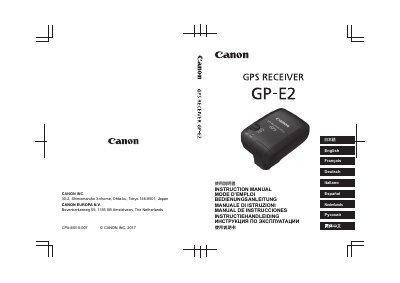
Canon GP-E2 GPS Receiver Instruction Manual
This Canon instruction manual describes the GP-E2 GPS Receiver, an accessory for EOS DIGITAL cameras. It explains how to insert the battery, attach and remove the receiver, turn it on, acquire GPS signals, and geotag images during shooting.
The manual lists specifications including reception frequency, positioning interval, logging mode, dimensions, weight, and operating temperature. It also covers the Map Utility software, digital compass use, time adjustment from GPS data, and safety precautions.
Canon GP-E2 specifications
| Compatible cameras | EOS DIGITAL cameras |
|---|---|
| Reception frequency | 1575.42 MHz (L1 band) |
| Positioning interval | 1, 5, 10, 15, or 30 seconds, or 1, 2, or 5 minutes |
| Logging mode | NMEA-0183 |
| Power supply | One AA/LR6 alkaline battery |
| Dimensions | Approx. 54.3 x 72.9 x 44.2 mm |
| Weight | Approx. 82 g / 2.89 oz. |
| Operating temperature | 0°C to +40°C / 32°F to 104°F |
All Canon GP-E2 documents by type
Day-to-day operation, settings and troubleshooting. Start here if the product is already set up.
Questions answered in these manuals
Which cameras are compatible with the Canon GP-E2?
EOS DIGITAL cameras are compatible; models with the [GPS device settings] menu item support all features, while others support <LOG> mode.
What is the GPS reception frequency?
The receiver uses the 1575.42 MHz L1 band.
What can the Canon GP-E2 do?
It can add location and shooting-direction information to images, record movement routes in LOG mode, and set camera time from GPS.
Which cameras work with the GP-E2?
Cameras whose menu displays [GPS device settings]; some functions are unavailable on some cameras.