
Key facts
- Manuals
- 38
- Models
- 1
- Brands
- 21
- Languages
- ZH · EN
- Last added
- 2026-09-30
GPS models by brand
Featured GPS manuals
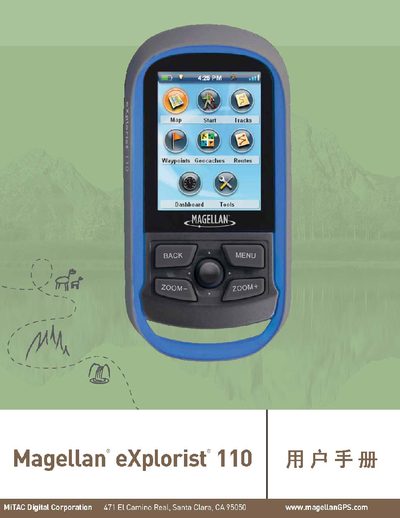
Magellan eXplorist 110 User Manual
This manual covers safety warnings, proper use of accessories, and FCC/IC compliance for the Magellan eXplorist 110 handheld GPS. It explains how to install and replace batteries, configure power‑saving features, and select language and connection modes.
The guide also details map screen functions, waypoint and treasure‑point management, tool menus, diagnostics, and product information such as serial number and firmware version. Appendices describe coordinate‑system settings and custom map baselines. This manual is written in Chinese.
Covers: Safety Warnings · Battery Installation · Power On/Off · Map Screen Overview · Waypoints Management · Treasure Points
Dell GPS Navigation System Owner's Manual
This manual covers everything needed to get started with the Dell GPS Navigation System, including what’s in the box, system requirements, software installation, and how to download map data. It also explains how to pair the receiver with a Pocket PC, use the various navigation views, and select destinations.
Safety guidelines, power requirements, and warranty information are detailed, along with troubleshooting steps and regulatory notices. Appendices provide POI icon details and regulatory compliance information.
Covers: Getting Started · Using the GPS Device · Navigation Views and Options · Navigating · Safety Instructions · Power and Charging
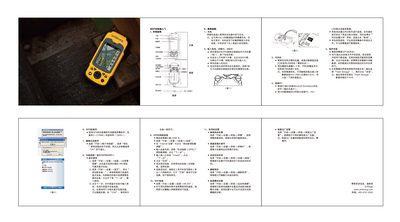
UniStrong MG758 Handheld GPS User Guide
The MG758 is a compact handheld GPS device with built‑in camera, speaker and external antenna connectors. This guide provides a fast‑track introduction to the device’s external layout and basic operation.
Key procedures covered include charging the lithium battery, installing the SIM and TF cards, powering the unit on and off, connecting to a PC via USB with ActiveSync, installing applications, and configuring GPS, camera, Bluetooth, GPRS and Wi‑Fi connections as well as screen and power‑saving settings. This manual is written in Chinese.
Covers: External Appearance · Charging · Inserting Battery and Cards · Power On/Off · PC Connection · Program Installation
GlobalSat SD-502 SDIO GPS Receiver User Manual
The SD-502 is an SDIO‑interface GPS receiver with built‑in 512 MB memory, designed for Pocket PC platforms such as Dell Axim and HP iPAQ. It features a high‑sensitivity antenna, LED status indicator, and supports NMEA 0183 and SiRF binary protocols.
The manual covers system specifications, compatible devices, driver installation via ActiveSync, and FCC compliance. It also includes troubleshooting tips and LED function details to help users verify GPS fix status.
Covers: SD-502 at a glance · System Specification · Introduction · Features · Package · LED Function
Latest GPS manuals
Magellan eXplorist 110 User Manual
User Manual 47 pages · 1.4 MB · ZHThe Magellan eXplorist 110 user manual provides safety warnings, setup instructions, and detailed operation guidance for the handheld GPS device.
MapCreate 7 Custom Mapping Software for GPS Installation Operation Instructions
This manual introduces the installation and operation instructions of MapCreate 7 custom mapping software
Lowrance M68i S/Map Manual
This addendum provides additional information about the Lowrance M68i S/Map, including instructions for connecting data cables and setting up the communications port.
LOWRANCE M68C S/Map M68C IceMachine installation Manual
This document is about the installation and operation instructions for Lowrance M68C S/Map and M68C IceMachine Fish-finding Sonar & Mapping GPS. The document describes the features and specifications of the product, as well as how the sonar and GPS work.
Lowrance M56i S/MAP Manual
This document introduces the use of Lowrance M56i S/MAP, including data cable connection and communication port setting.
LOWRANCE M56 S/Map installation Manual
This document is about the installation and operation instructions for M56 S/Map fish finder sonar and mapping GPS
Lowrance M52i S/GPS Manual
This document provides additional instructions for the Lowrance M52i S/GPS, including how to connect data cables and configure the communication port.
LOWRANCE M52 S/GPS installation Manual
This document provides installation and operation instructions for the Lowrance M52 S/GPS Fish-finding Sonar & GPS Plotter, including features and specifications of the product.
LCX Sonar/GPS Series 25 26 110 111 GlobalMap GPS Manual
LOWRANCE GlobalMap 6500c/6600c HD/7500c/7600c HD Manual
This manual introduces the operation instructions of GlobalMap® 6500C, GlobalMap® 6600C HD, GlobalMap® 7500C, GlobalMap® 7600C HD GPS receivers.
GPS Module Connections Manual
This document is an important equipment warning for GPS module connections. It provides information about the cables, T connector, and terminator used to connect the GPS module to the unit. The document emphasizes the keying feature of the plugs and sockets and warns against misalignment and forced connections that can damage the unit or GPS module.
Globalsat BT-368 Bluetooth GPS Receiver user manual
This manual introduces the Globalsat Bluetooth GPS Receiver BT-368 product features, specifications, hardware description, package contents, how to use and troubleshooting.
GlobalSat USB GPS V2.3 (WIN) user manual
This manual describes the installation, use, and troubleshooting information for the USB GPS Receiver BU-303 (SiRF II) BU-353(SiRF III) BU-333N (SiRF III)
GlobalSat EM-408 GPS ENGINE BOARD user manual
GlobalSat ET-312 GPS ENGINE BOARD user manual
This document is the user manual for the Globalsat Technology Corporation GPS Engine Board ET-312
- 1
- 2
Which document do I need?
User Manual
Day-to-day operation, settings and troubleshooting. Start here if the product is already set up.
Quick Start Guide
The shortest path to a working setup, usually only a few pages.
Questions answered in GPS manuals
How long does the eXplorist 110 run on a full set of batteries?
It provides about 18 hours of normal use with two AA batteries.
How can I download map data for the navigation system?
Map data can be downloaded by region or by city using the navigation system software, as described in the manual’s sections on downloading map data.
What is included in the box with the GPS system?
The manual lists a "What’s in the Box?" section that details the components provided with the Dell GPS Navigation System.
How do I charge the MG758?
Insert the lithium battery into the supplied charger, or connect a mini‑USB data cable to charge the device.
How can I connect the MG758 to a PC?
Install Microsoft ActiveSync on the PC, then connect the device with the USB cable; the system will recognize it and open the synchronization wizard.
What does the green LED indicate on the SD-502?
A blinking green LED means the GPS position is fixed, while a steady green LED means the GPS position is not fixed.