
Key facts
Start here
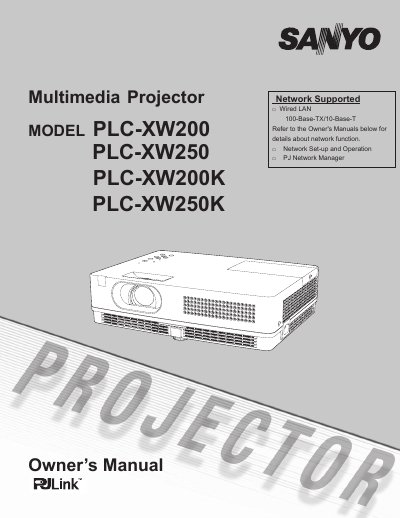
SANYO PLC-XW200/PLC-XW250/PLC-XW200K/PLC-XW250K Multimedia Projector user manual
This manual provides instructions for the Sanyo Multimedia Projector models PLC-XW200, PLC-XW250, PLC-XW200K, and PLC-XW250K. It details features such as the Mult-scan System, Auto Setup, and network capabilities, along with safety precautions and installation guidelines.
Read onlineSanyo PLC-XW20 specifications
| Resolution | Up to UXGA resolution |
|---|---|
| Colors | 16.77 million colors |
| Menu Languages | 18 languages |
Source: SANYO PLC-XW200/PLC-XW250/PLC-XW200K/PLC-XW250K Multimedia Projector user manual
All Sanyo PLC-XW20 documents by type
Day-to-day operation, settings and troubleshooting. Start here if the product is already set up.
Questions answered in these manuals
What safety precaution is required regarding the projector's ventilation slots?
The ventilation slots should never be covered with cloth or other materials to prevent overheating.
What specific condition requires the projector to be unplugged from the power outlet?
The projector must be unplugged if liquid has been spilled into it.
What should I do if the projector seems to operate improperly?
Read the manual again, check operations and cable connections, try solutions in the Troubleshooting section, or contact the sales dealer.
Can I open the cover to service the unit myself?
No. Do not remove the cover as there are no user-serviceable parts inside except for lamp replacement; refer servicing to qualified personnel.
What is the maximum resolution this projector can accept?
The projector can accept up to UXGA resolution.
From: SANYO PLC-XW200/PLC-XW250/PLC-XW200K/PLC-XW250K Multimedia Projector user manual
How many languages are available for the operation menu?
The operation menu is available in 18 languages including English, German, and French.
From: SANYO PLC-XW200/PLC-XW250/PLC-XW200K/PLC-XW250K Multimedia Projector user manual