
Philips SpeechMike Premium Air SMP4000/4010 button assignments for Dragon mode, with English, German and French labels.
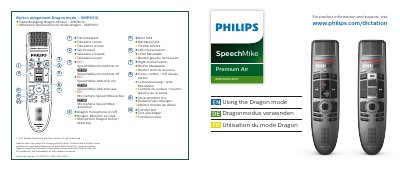
This two-page reference sheet from Philips shows the button assignments of the SpeechMike Premium Air SMP4000 and SMP4010 while the device is used in Dragon mode. The labels are printed in English, German and French, and each numbered callout points to a function such as Tab forward, Tab backward, microphone on/off, mouse buttons, dictation box and text transfer.
The sheet also shows how to switch between Standard mode and Dragon mode with a 3-second step and the LEDs off. Product information and support are directed to www.philips.com/dictation, and the document carries version 1.0 dated 2017/12/11 (7740-003-2020.1).
The sheet shows a switch between Standard mode and Dragon mode, marked with a 3 second step and LEDs off. It is listed separately from the button assignments.
Button 3 controls the SpeechMike microphone, switching it on and off.
The button labeled Show dictation box opens the dictation box (button 9 on the SMP4010 and button 10 on the SMP4000).
The document directs you to www.philips.com/dictation.