
User manual for Philips DVT4000, DVT6000, DVT6500, and DVT8000 digital voice recorders covering safety, setup, recording, playback, editing, radio…
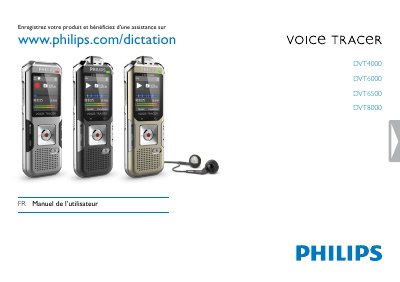
This manual describes the operation of the Philips DVT4000, DVT6000, DVT6500, and DVT8000 digital voice recorders. It includes safety instructions, product overview, initial setup, recording and playback functions, editing, radio features (on select models), device settings, and maintenance procedures.
Key features include stereo MP3 recording, a zoom microphone for distances up to 15 meters, ClearVoice playback enhancement, motion-activated microphone sensitivity, voice-activated recording, pre-recording buffer, USB charging and data transfer, a color display, microSD card support up to 32 GB, index marking, calendar search, and a durable metal design. The package contents vary by model and may include headphones, a meeting microphone, line-in cable, carrying case, and remote control. This manual is written in French.
| Maximum microSD card capacity | 32 GB |
|---|---|
| Battery charging time | Approximately 3.5 hours |
| Remote control battery type | CR2025 |
| Recording format | MP3 (stereo) |
| Zoom microphone range | Up to 15 meters / 50 feet |
| Voice activation | Yes |
| Pre-recording buffer | Yes |
| USB charging and recording | Yes |
| Display | Color screen |
| Index marking | Yes |
| Calendar search | Yes |
| Construction | Metal design |
The recorder supports microSD cards up to 32 GB.
A full charge cycle takes about 3.5 hours when connected to a computer.
The remote control uses a CR2025 coin cell battery.