
Key facts
- Brand
- Panasonic
- Model
- WJ-MP204C
- Category
- Other
- Industry
- Appliances
- Documents
- 2
- Languages
- EN
- Last added
- 2012-08-08
Start here
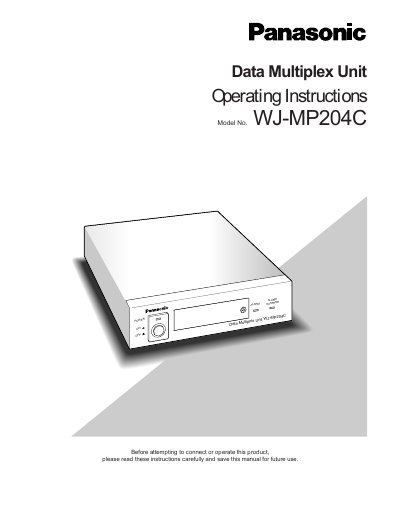
Panasonic WJ-MP204C Data Multiplex Unit Operating Instructions
The Panasonic WJ-MP204C is a Data Multiplex Unit designed for surveillance systems. It multiplexes video signals with control data and VD2 sync into a coaxial cable, allowing the monitor and system controller to be located distant from the camera site. The unit supports two protocols: Panasonic Security Data (PS:Data) and the Camera Communication Protocol.
Read onlinePanasonic WJ-MP204C specifications
| Input power source | 220‑240 V AC 50 Hz |
|---|---|
| Operating temperature range | -10 °C to +50 °C |
| Maximum humidity | < 90 % |
| Camera inputs | 4 composite video inputs with control data and VD2 sync |
| Camera outputs | 4 looped‑through composite video outputs |
Source: Panasonic WJ-MP204C Data Multiplex Unit Operating Instructions
All Panasonic WJ-MP204C documents by type
Day-to-day operation, settings and troubleshooting. Start here if the product is already set up.
Questions answered in these manuals
What are the operating temperature and humidity limits for this unit?
The appliance must be used at temperatures between -10°C and +50°C (14°F - 122°F) with a humidity below 90%.
From: Panasonic WJ-MP204C Data Multiplex Unit Operating Instructions
What is the required input power source for this appliance?
The input power source for this appliance is 120 V AC 60 Hz.
From: Panasonic WJ-MP204C Data Multiplex Unit Operating Instructions
What type of mains plug is supplied with the WJ‑MP204C?
The unit comes with a moulded three‑pin mains plug that includes a 13 A fuse approved by ASTA or BSI.
From: Panasonic WJ-MP204C Data Multiplex Unit Operating Instructions
How can the unit be reset to its default settings?
Turn the power switch OFF, then press and hold the camera selection buttons 2, 3, and 4 while turning the power switch ON; keep the buttons pressed for about 3 seconds until all indicators light up.
From: Panasonic WJ-MP204C Data Multiplex Unit Operating Instructions