
Key facts
- Brand
- Panasonic
- Model
- KX-FL501
- Category
- Fax machine
- Industry
- Appliances
- Documents
- 3
- Languages
- EN
- Last added
- 2012-08-07
Start here
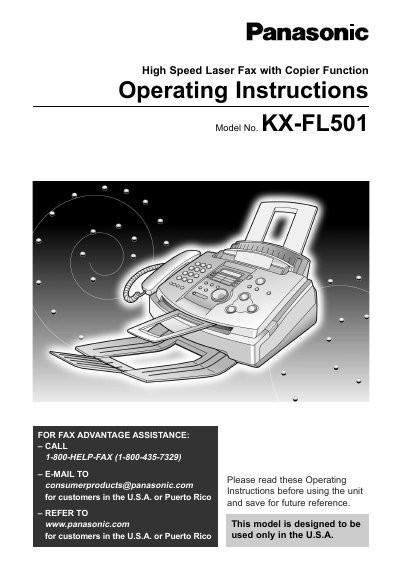
Panasonic KX-FL501 High Speed Laser Fax Operating Instructions
This manual provides operating instructions for the Panasonic KX-FL501 High Speed Laser Fax with Copier Function. It covers initial preparation, including installing the toner cartridge and drum unit, as well as setting up the paper tray and document stacker. The guide details how to make connections, program date and time, and use the telephone features such as One-Touch Dial and Caller ID.
Read onlinePanasonic KX-FL501 specifications
| Product Type | High Speed Laser Fax with Copier Function |
|---|---|
| Toner Cartridge Yield | approx. 800 sheets |
| Paper Size | letter size |
Source: Panasonic KX-FL501 High Speed Laser Fax Operating Instructions
All Panasonic KX-FL501 documents by type
Day-to-day operation, settings and troubleshooting. Start here if the product is already set up.
Questions answered in these manuals
What is the model number of this fax machine?
The model number is KX-FL501.
From: Panasonic KX-FL501 High Speed Laser Fax Operating Instructions
How many sheets can the starter toner cartridge print?
The complementary starter toner cartridge can print approximately 800 sheets of letter size paper.
From: Panasonic KX-FL501 High Speed Laser Fax Operating Instructions
What does the nib on the 5 button indicate?
The text describes a specific modification to the standard telephone keypad layout.
From: Panasonic KX-FL501 High Speed Laser Fax with Copier Function Control Panel Layout Guide
How many jog steps are indicated by one click of the JOG DIAL?
Each click of the dial indicates exactly one jog step.
From: Panasonic KX-FL501 High Speed Laser Fax with Copier Function Control Panel Layout Guide
What is the maximum number of letter-size pages this toner cartridge can print?
The included starter toner cartridge can print approximately 800 sheets of letter size paper with a 5% image area.
From: Panasonic KX-FL501C High Speed Laser Fax Operating Instructions
How long is the user allowed to expose the drum unit to light after opening its protection bag?
Once opened, you must not expose the drum unit to light for more than 5 minutes.
From: Panasonic KX-FL501C High Speed Laser Fax Operating Instructions