
Key facts
- Brand
- Panasonic
- Model
- WJND200
- Category
- Other
- Industry
- Appliances
- Documents
- 3
- Languages
- EN · JA
- Last added
- 2012-08-08
Start here
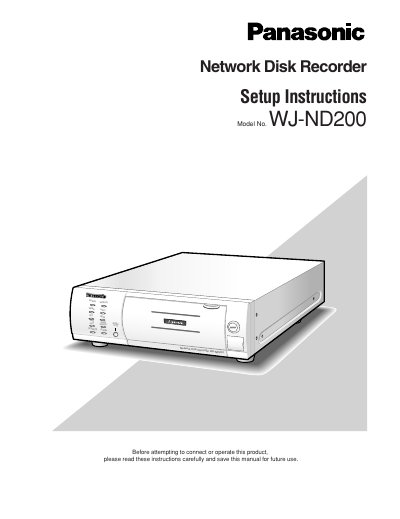
Panasonic WJ-ND200 Network Disk Recorder Setup Instructions
This document serves as the Setup Instructions for the Panasonic WJ-ND200 Network Disk Recorder. It provides detailed guidance on performing necessary settings to operate the unit using a PC via a network. The manual covers essential topics such as system requirements for the host PC, network security configurations, and the operation of the web-based interface.
Read onlinePanasonic WJND200 specifications
| Operating System | Windows 2000 Professional SP4, Windows XP Professional/Home Edition SP2 |
|---|---|
| CPU Requirement | Pentium ® 4 3.0 GHz or faster |
| Memory Requirement | 512 MB or more |
| Monitor Resolution | 1024 x 768 pixels or more, 24-bit True color or better |
| Interface Requirement | USB port (USB 2.0 compliant) |
| Hard Disk Drive Space | 200 MB or more |
Source: Panasonic WJ-ND200 HDD Viewer Operating Instructions
All Panasonic WJND200 documents by type
Day-to-day operation, settings and troubleshooting. Start here if the product is already set up.
Questions answered in these manuals
What is the HDD Viewer used for?
The HDD viewer is software that can play recorded images on a removable hard disk drive removed from the WJ-ND200 and connected to a PC.
How long does an HDD check take for a 120 GB drive?
It will take around 2 hours to complete the HDD check if the disk size is 120 GB.
What is the maximum number of cameras that can be connected to this unit?
Up to 16 cameras can be connected via a network to this unit.
From: Panasonic WJ-ND200 Network Disk Recorder Setup Instructions
How many PCs can access this unit at the same time?
Up to 4 PCs can access this unit concurrently to perform settings and operations.
From: Panasonic WJ-ND200 Network Disk Recorder Setup Instructions
How many cameras can be connected to the WJ‑ND200?
The device can handle up to 16 cameras simultaneously.
What type of hard drive does the VCR support?
It supports a removable 2.5‑inch hard drive that can be swapped without powering down the main unit.