
This is a PDF document about a projector manufactured by NEC Viewtechnology. The document provides information on how to connect and use the projector.
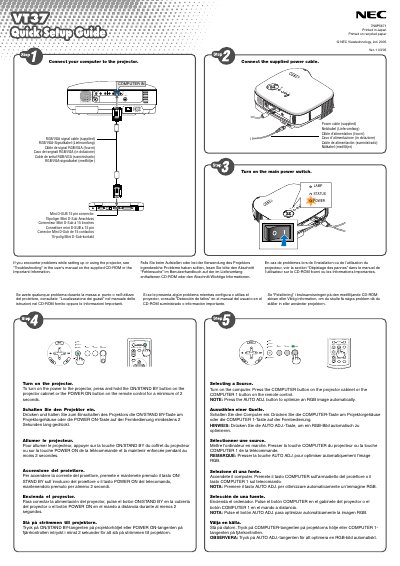
The guide explains how to connect the projector to a computer and power source using the supplied cables, then turn on the unit by pressing and holding the ON/STAND BY button for at least two seconds. It also covers basic remote‑control functions such as the COMPUTER and POWER ON buttons.
Additional sections describe how to extend the adjustable tilt foot, adjust image size with the Digital ZOOM button, focus with the focus ring, and correct keystone distortion via the MENU and SELECT keys.
Use the Digital ZOOM button on the projector cabinet to enlarge or reduce the image electronically.