
This manual describes the connection methods of GT950 projector, including audio input, audio output, D-Sub 15-pin signal cable, HDMI, RGB, USB, mouse output, video input and power interface.
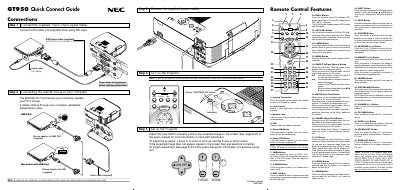
The guide walks you through the initial connections for the GT950 projector, including the 15‑pin spin signal cable, DVI or RGB video cables, audio cable, and power cable. It also explains how to attach mouse adapters for IBM PS/2, USB Macintosh, and serial connections, and how to power the unit on and off.
Additional sections describe the remote control layout, menu tree, advanced menu options, and troubleshooting tips such as lamp‑life indicators, error messages, and common problems with solutions.
| Infrared transmitter | Included in remote control |
|---|---|
| Magnify button image size | Up to 400 % |
| Lamp life (Eco mode) | 2000 hours or over |
Press and hold the Power OFF button for at least two seconds.
Use the MOUSE OUT port with the supplied mouse adapters for IBM PS/2, USB Macintosh, or the supplied serial cable.
It switches the Select, Cancel, and Enter buttons between Projector mode (lit red) and Computer mode.