
Dell ST2420 LV/ST2421L Monitor Installation Guide

Drivers and documentation for Dell laptop, including device drivers, setup guide and user's guide.
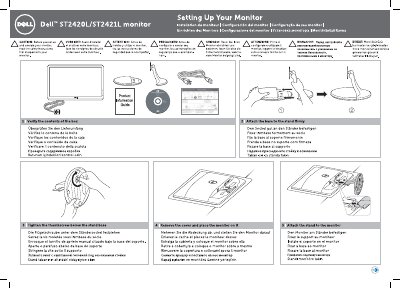

Dell ST2420 LV/ST2421L Monitor Installation Guide - cover page
Brand
DELL
Category
Monitors
Document type
User Manual
Language
English
Pages
2
File format
PDF
File size
1.2 MB
Published
24 November, 2023
Updated
24 November, 2023
MD5 checksum
58541DE0F62AF02CF7F20D0C628D927D

About this manual

This document provides multilingual instructions for setting up the Dell ST2420 LV and ST2421L monitors. It covers verifying the contents of the box, attaching the base to the stand, and securing the monitor to the stand. Safety instructions are provided in multiple languages before beginning the setup process.

What's inside

  • Setting Up Your Monitor
  • Verify the contents of the box
  • Attach the base to the stand
  • Tighten the thumbscrew
  • Remove the cover
  • Attach the stand to the monitor
  • Connect the monitor
  • Connect the power cable
  • Touch the power button
  • OSD Menu shortcuts

Frequently asked questions

How do I connect the monitor?

Connect the monitor using only one of the following cables: the blue VGA cable, white DVI cable (optional purchase), or HDMI cable (optional purchase).

Where is the power button located?

Touch the power button with the light indicator below the Dell logo.

What should I do before setting up and operating the monitor?

Read the safety instructions that shipped with the monitor.

Download PDF (1.2 MB)

More DELL Manuals


View all DELL manuals →