
Key facts
- Brand
- DELL
- Model
- PowerEdge R340
- Category
- Servers Computer
- Documents
- 5
- Languages
- EN
- Last added
- 2023-11-24
Start here
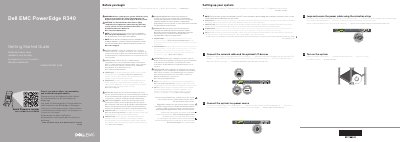
Dell PowerEdge R340 Server Getting Started Guide
This document is the Getting Started Guide for the Dell PowerEdge R340 system. It is provided in multiple languages and includes safety warnings, a Quick Resource Locator, and links to the full documentation set at Dell.com/poweredgemanuals.
The guide covers initial setup: installing and securing the system in a rack, connecting the network cable and optional I/O devices, connecting the system to a power source, looping and securing the power cable with the retention strap, and turning on the system.
Dell PowerEdge R340 specifications
| Power supply wattage at 100–240 V | 550 W Platinum AC 50/60 Hz, 7.4 A–3.7 A |
|---|---|
| Derated wattage at 100–120 V – Low Line | 350 W Platinum AC 50/60 Hz, 4.8 A–2.4 A |
| System battery | 3 V CR2032 lithium coin cell |
| Maximum ambient temperature for continuous operation | 35°C/95°F |
All Dell PowerEdge R340 documents by type
Day-to-day operation, settings and troubleshooting. Start here if the product is already set up.
The shortest path to a working setup, usually only a few pages.
Questions answered in these manuals
What power supply units are compatible with the PowerEdge R340?
Use Extended Power Performance (EPP) compliant power supply units, indicated by the EPP label.
Where can I find the complete specifications for the PowerEdge R340?
Visit Dell.com/poweredgemanuals for the complete and current listing of specifications.
Which processors are supported by the Dell PowerEdge R340?
It supports Intel Xeon E-2100 family processors, plus Core i3 8100, Pentium G5500, and Celeron G4900 models.
How much memory can the PowerEdge R340 hold?
Up to 64 GB across four DIMM slots using DDR4 ECC memory.
Where is the documentation set for the system available?
The documentation set is available at Dell.com/poweredgemanuals, and users should check it for the latest updates.
Which power supply units should be used with the system?
Use Extended Power Performance (EPP) compliant power supply units indicated by the EPP label.