
The Dell EMC PowerEdge R340 Getting Started Guide describes the features and characteristics of the product.
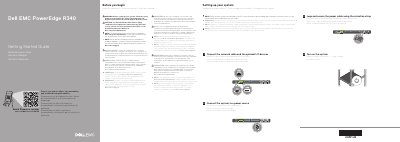
This guide helps you install and configure your Dell PowerEdge R340 server. It includes safety instructions, power setup, network connection, and system security steps. You must ensure the operating system is installed before adding hardware or software. For full specifications and updates, visit Dell.com/poweredgemanuals.
The guide also covers rack installation, power cable management, and system startup. It includes warnings about EPP-compliant power supplies and temperature limits for continuous operation. Safety and regulatory information is referenced in the included Safety, Environmental, and Regulatory Information document.
| Power supply wattage at 100–240 V | 550 W Platinum AC 50/60 Hz, 7.4 A–3.7 A |
|---|---|
| Derated wattage at 100–120 V – Low Line | 350 W Platinum AC 50/60 Hz, 4.8 A–2.4 A |
| System battery | 3 V CR2032 lithium coin cell |
| Maximum ambient temperature for continuous operation | 35°C/95°F |
Use Extended Power Performance (EPP) compliant power supply units, indicated by the EPP label.
Visit Dell.com/poweredgemanuals for the complete and current listing of specifications.
Ensure the operating system is installed before installing hardware or software not purchased with the system.