
Key facts
Start here
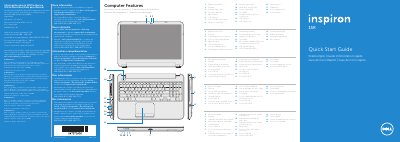
Dell P28F Inspiron 5521 Quick Start Guide
This document serves as a Quick Start Guide for the Dell P28F Inspiron 5521 laptop. It includes regulatory information for Mexico, a list of computer features with corresponding labels, and step-by-step instructions for initial setup, including setting a password and connecting peripherals. The guide is multilingual, providing instructions in English, Dutch, French, Portuguese, and Spanish.
Read onlineDell P28F specifications
| Input Voltage | 100 – 240 V AC |
|---|---|
| Input Frequency | 50 Hz – 60 Hz |
| Input Current (Max) | 1,50 A/1,60 A/1,70 A/2,50 A |
| Output Voltage | 19,50 V DC |
| Output Current | 3,34 A/4,62 A |
All Dell P28F documents by type
The shortest path to a working setup, usually only a few pages.
Questions answered in these manuals
What symbol should not be used in the Windows password?
Do not use the @ symbol in your password.
How do I check the wireless status?
Press the wireless function key to check the status of the wireless network.
Who is the importer for the Dell P28F power adapter in Mexico?
The importer is Dell México S.A. de C.V.
Which computer model is associated with the P28F001 type?
The associated computer model is Inspiron 5521.
What is the regulatory model number?
The regulatory model number is P28F.
Where can I find more information about features?
Click Start → All Programs → Dell Help Documentation or go to support.dell.com/manuals.