
Key facts
Start here
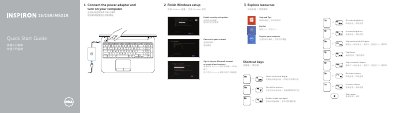
Dell Inspiron 15/15R/M531R Laptop Quick Start Guide
This quick start guide helps users connect the power adapter, turn on the computer, and complete Windows setup for Dell Inspiron 15/15R/M531R laptops. It also lists shortcut keys and identifies the laptop's external features, ports, and status lights.
Support, manual, contact, and regulatory information is included, along with the computer model and regulatory model details for the covered Inspiron systems.
Dell Inspiron 15 specifications
| Computer model | Inspiron 3521/5521/5537 |
|---|---|
| Regulatory model | P28F |
| Regulatory type | P28F001/P28F003 |
Source: Dell Inspiron 15/15R (3521/5521/5537) Owner's Manual
All Dell Inspiron 15 documents by type
Disassembly, diagnostics and part numbers, for repair.
- Dell Inspiron 15/15R (3521/5521/5537) Owner's Manual 69 p
- Dell Inspiron 15/15R (3521/5521/5537) Owner's Manual 71 p
- Dell Inspiron 15 5000 Series Computer Owner's Manual 89 p
- Dell Inspiron 15 5501 Service Manual 83 p
- Dell Inspiron 15 5000 Service Manual 102 p
- Dell Inspiron 15 7000 Series Service Manual 71 p
- Dell Inspiron 15R Owner's Manual 84 p
- Dell Inspiron 15 3000 Series Laptop User Manual 105 p
- Inspiron 15 5000 Series Service Manual 100 p
- Dell Inspiron 15/15R Owner's Manual 68 p
- Dell Inspiron 15 5000 Service Manual 144 p
- Dell Inspiron 15 3000 Series Service Manual 99 p
- Dell Inspiron 15R Laptop User Manual 84 p
- Dell Inspiron 1564 Laptop Service Manual 58 p
- Dell Inspiron 15 7000 Service Manual 84 p
- Dell Inspiron 15 5502 Service Manual 84 p
- Dell Inspiron 15 5000 Series Notebook Service Manual 56 p
- Inspiron 15 3000 Laptop Service Manual 121 p
- Dell Inspiron 15 5000 Series Service Manual 104 p
- Dell Inspiron 15 5000 Series Service Manual 56 p
- Dell Inspiron 15 5000 Series (Inspiron 5547) Notebook Owner's Manual 93 p
- Dell Inspiron 15 3000 Laptop 121 p
- Dell Inspiron 1545 (PP41L) Service Manual 52 p
- Dell Inspiron 15R Service Manual 84 p
- Dell Inspiron 15 5000 Series 5559 Service Manual 103 p
- Dell Inspiron 15-3531 Laptop Service Manual 83 p
- Dell Inspiron 15 5000 Series 5547 Laptop Service Manual 88 p
- Dell Inspiron 15 7000 Series (Inspiron 7537) Laptop Service Manual 75 p
- Dell Inspiron 1545 Laptop Service Manual 51 p
- Dell Inspiron 15 3000 Laptop 119 p
- Inspiron 15 7000 Service Manual 85 p
- Dell Inspiron 15 3000 Series Service Manual 97 p
- Dell Inspiron 15 5000 Computer Service Manual 107 p
- Dell Inspiron 1525/1526 Service Manual 51 p
The shortest path to a working setup, usually only a few pages.
- Dell Inspiron 15/15R/M531R Laptop Quick Start Guide 2 p
- Dell Inspiron 15/15R/M531R Laptop Quick Start Guide 2 p
- Dell Inspiron 15/15R/M531R Quick Start Guide 2 p
- Dell Inspiron 15/15R/M531R Laptop Quick Start Guide 2 p
- Dell Inspiron 15/15R/M531R Quick Start Guide 2 p
- Dell Inspiron 15/15R/M531R Laptop Quick Start Guide 2 p
- Dell Inspiron 15/15R/M531R Quick Start Guide 2 p
- Dell Inspiron 15/15R/M531R Laptop Quick Start Guide 2 p
Day-to-day operation, settings and troubleshooting. Start here if the product is already set up.
- Dell Inspiron 1520 Notebook Owner's Manual 113 p
- Dell Inspiron 1525/1526 Notebook Owner's Manual 210 p
- Dell Inspiron 1501 User Manual 93 p
- Dell Inspiron 1521 Laptop Owner's Manual 222 p
- Dell Inspiron 1520 Owner's Manual 236 p
- Dell Inspiron 1520 Owner's Manual 236 p
- Dell Inspiron 1525/1526 Owner's Manual 206 p
- Dell Inspiron 1564 User Manual 8 p
- Dell Inspiron 1520 Laptop User Manual 216 p
- Dell Inspiron 1501 Reference Manual 152 p
- Dell Inspiron 1501 Reference Manual 142 p
- Dell Inspiron 1501 Reference Manual 142 p
- Dell Inspiron 1501 User Manual 144 p
- Dell Inspiron 1501 User Manual 144 p
How to use the product for one specific task, with worked examples.
Questions answered in these manuals
What tools may be needed for the procedures?
A Phillips screwdriver and a plastic scribe may be needed.
How is the battery removed?
Close the display, turn the computer over, slide the battery latches to the unlocked position, then lift and remove the battery.
How do I start using the laptop?
Connect the power adapter and turn on your computer.
Where can I find product support and manuals?
Visit dell.com/support and dell.com/support/manuals.
Which Dell Inspiron models does this quick start guide cover?
It covers Inspiron 3521/5521/15-3537/15R-5537/M531R-5535 series computers.
What is the regulatory model and type?
The regulatory model is P28F and the regulatory type is P28F001/P28F002.