
Key facts
Start here
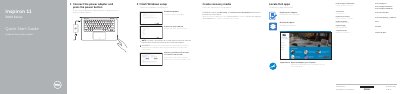
Dell Inspiron 11-3153 3000 Series Laptop Quick Start Guide
The Dell Inspiron 11-3153 3000 Series Quick Start Guide provides essential instructions for setting up the laptop, including power connection, Windows configuration, and network connectivity.
It details the hardware layout, including ports and buttons, and lists available shortcut keys and device modes such as Notebook, Tablet, Tent, and Stand.
Dell Inspiron 11-3153 specifications
| Computer model | Inspiron 11-3153 |
|---|---|
| Regulatory model | P20T |
| Regulatory type | P20T004 |
Source: Dell Inspiron 11 3000 Series (Inspiron 11-3153) Service Manual
All Dell Inspiron 11-3153 documents by type
The shortest path to a working setup, usually only a few pages.
Disassembly, diagnostics and part numbers, for repair.
Questions answered in these manuals
How do I create recovery media for the Inspiron 11-3153?
In Windows search, type Recovery, click Create a recovery media, and follow the on-screen instructions.
From: Dell Inspiron 11-3153 3000 Series Laptop Quick Start Guide
How do you create recovery media on this laptop?
In Windows search, type Recovery, click Create a recovery media, and follow the instructions on the screen.
From: Dell Inspiron 11-3153 3000 Series Laptop Quick Start Guide
What should be done before disassembling the computer?
Save and close all open files, exit all open applications, shut down the computer, disconnect power and cables, disconnect devices and peripherals, and remove all media cards and discs.
From: Dell Inspiron 11 3000 Series (Inspiron 11-3153) Service Manual
What tools are recommended for the service procedures?
A Phillips screwdriver and a plastic scribe.
From: Dell Inspiron 11 3000 Series (Inspiron 11-3153) Service Manual
What should I do before working inside the computer?
Save and close all open files, exit all open applications, shut down the computer, and disconnect power and cables.
From: Dell Inspiron 11 3000 Series (Inspiron 11-3153) Service Manual
What tool may be needed for the procedures?
A Phillips screwdriver may be required.
From: Dell Inspiron 11 3000 Series (Inspiron 11-3153) Service Manual