
Key facts
Start here
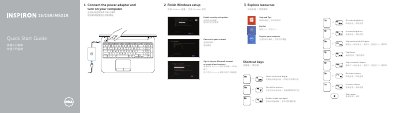
Dell Inspiron 15/15R/M531R Laptop Quick Start Guide
This quick start guide helps users connect the power adapter, turn on the computer, and complete Windows setup for Dell Inspiron 15/15R/M531R laptops. It also lists shortcut keys and identifies the laptop's external features, ports, and status lights.
Support, manual, contact, and regulatory information is included, along with the computer model and regulatory model details for the covered Inspiron systems.
Dell M531R (3521 specifications
| USB 3.0 ports | 2 |
|---|---|
| HDMI port | 1 |
| Network port | 1 |
| Headset port | 1 |
| Media-card reader | 1 |
| Optical drive | 1 |
| Regulatory model | P28F |
| Computer model | Inspiron 3521/5521/15-3537/15R-5537/M531R-5535 series |
All Dell M531R (3521 documents by type
The shortest path to a working setup, usually only a few pages.
Questions answered in these manuals
How do I start using the laptop?
Connect the power adapter and turn on your computer.
Where can I find product support and manuals?
Visit dell.com/support and dell.com/support/manuals.
Which Inspiron models does this guide cover?
It covers the Inspiron 3521/5521/15-3537/15R-5537/M531R-5535 series.
From: Dell Inspiron 15/15R/M531R (3521/5521/15-3537/15R-5537/M531R-5535) Laptop Quick Start Guide
What is the regulatory model and type?
The regulatory model is P28F, with types P28F001 and P28F002.
From: Dell Inspiron 15/15R/M531R (3521/5521/15-3537/15R-5537/M531R-5535) Laptop Quick Start Guide