
Dell OptiPlex 7040 Mini Tower Quick Start Guide
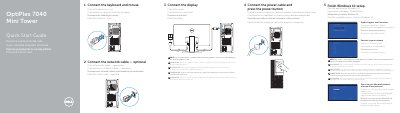
This guide helps you quickly set up your Dell OptiPlex 7040 MT mini tower. Connect peripherals like keyboard, mouse, and display, then power on. If you have a discrete graphics card, connect the display to it. Complete Windows 10 setup by enabling support, connecting to your network, and signing in to your Microsoft account or creating a local account.
The back panel includes multiple ports: USB 2.0 and 3.0, HDMI, DisplayPort, VGA (optional), audio jacks, network, and expansion slots. Features like Smart Power On and diagnostic lights help with setup and troubleshooting.
| Computer model | OptiPlex 7040 MT |
|---|---|
| Regulatory model | D18M |
| Regulatory type | D18M001 |
Connect the display to the discrete graphics card if you ordered one, or to the appropriate port on the back panel.
Available ports include USB 2.0 and 3.0, HDMI, DisplayPort, VGA (optional), audio jacks, network, and expansion slots.