
Key facts
Start here
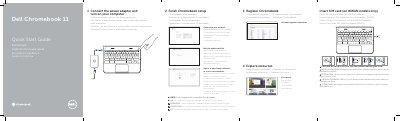
Dell Chromebook 11-3120 Quick Start Guide
This quick start guide covers the first steps for the Dell Chromebook 11-3120: connecting power, completing Chromebook setup, registering the device, and exploring available resources. It also identifies the computer's external features and ports, including USB, HDMI, memory card reader, and optional SIM reader.
The guide is printed in multiple languages and includes cautions for SIM card installation on WWAN models. It provides Dell and Google support links, community resources, and regulatory and computer model information.
Dell Chromebook 11-3120 specifications
| Computer model | Dell Chromebook 11-3120 |
|---|---|
| SIM reader | Optional |
| USB 3.0 connector | With PowerShare |
All Dell Chromebook 11-3120 documents by type
The shortest path to a working setup, usually only a few pages.
Questions answered in these manuals
What happens after the Google update?
The computer restarts after the Google update.
Where can I register the Chromebook?
Register the Chromebook at dell.com/support/registration.
How do I start the Dell Chromebook 11-3120?
Connect the power adapter and turn on the computer.
What happens after a Google update?
The computer restarts after the Google update.
How do I turn on the Dell Chromebook 11?
Connect the power adapter and turn on your computer.
What must I do before opening the SIM card slot door?
Loosen the screw first.