
The Dell Chromebook 11 Quick Start Guide provides instructions on how to connect the power adapter, finish Chromebook setup, connect to a network, wait for the update to finish, and sign in to your Google account.
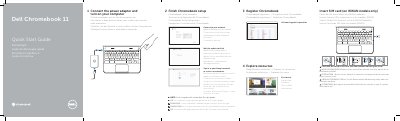
This Dell Chromebook 11-3120 Quick Start Guide helps users set up the computer, connect to a network, and sign in to a Google account. It also covers registration and where to find support resources.
A features diagram identifies the power button, USB and HDMI connectors, card readers, camera, and other parts. The guide includes multilingual instructions and a caution about the SIM card slot screw on WWAN models.
| Computer model | Dell Chromebook 11-3120 |
|---|---|
| SIM reader | Optional |
| USB 3.0 connector | With PowerShare |
Connect the power adapter and turn on the computer.
The computer restarts after the Google update.
No, the SIM reader is optional on WWAN models only.