
Key facts
- Brand
- DELL
- Model
- Axim X51
- Category
- Other Electronics
- Documents
- 5
- Languages
- EN · ES · ZH
- Last added
- 2023-11-24
Start here
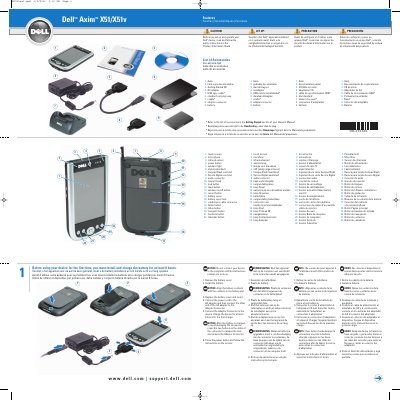
Dell Axim X51/X51v Device Features
This document describes the features of the Dell Axim X51/X51v device and provides initial setup instructions. It is presented in English, Dutch, French, and Spanish, and refers users to the Product Information Guide for safety instructions.
Setup steps cover removing the battery cover, installing and aligning the battery, replacing the cover, connecting the AC adapter, and charging the device for at least 8 hours for the first charge. A numbered diagram identifies 22 device parts, and a list shows the included accessories such as the AC adapter, USB sync cable, cradle, and battery.
Dell Axim X51 specifications
| Processor | Intel XScale PXA270 up to 624 MHz |
|---|---|
| Operating System | Windows Mobile Version 5.0 |
| Display Resolution | 480 x 640 at 65,536 colors |
| Memory | 64 MB/256 MB NAND Flash ROM |
All Dell Axim X51 documents by type
The shortest path to a working setup, usually only a few pages.
Day-to-day operation, settings and troubleshooting. Start here if the product is already set up.
Questions answered in these manuals
How long should the Dell Axim X51/X51v be charged for the first time?
Charge the device for at least 8 hours for the first charge.
When can the device be connected to a computer?
Wait until the instructions prompt you to do so.
What is the minimum charge time for the first use?
The battery must be charged for at least 8 hours before the first use.
When should the device be connected to a computer?
The device should not be connected to the computer until the instructions prompt you to do so.
How do I back up data on the Axim?
The manual covers backup and synchronization, manual backup by dragging files, and backup confirmation.
How do I connect the Axim to a computer?
The manual explains connecting to a computer and using the cradle or cable.