
The Dell™ Axim™ X51/X51v is a powerful PDA with the following features:
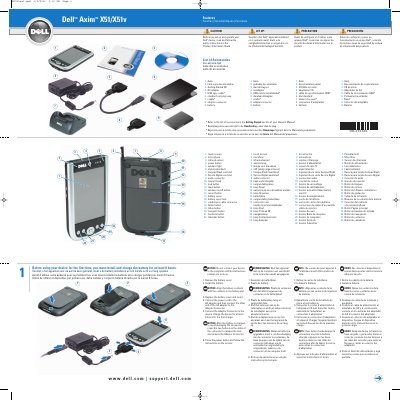
This document describes the features of the Dell Axim X51/X51v device and provides initial setup instructions. It is presented in English, Dutch, French, and Spanish, and refers users to the Product Information Guide for safety instructions.
Setup steps cover removing the battery cover, installing and aligning the battery, replacing the cover, connecting the AC adapter, and charging the device for at least 8 hours for the first charge. A numbered diagram identifies 22 device parts, and a list shows the included accessories such as the AC adapter, USB sync cable, cradle, and battery.
| First charge time | at least 8 hours |
|---|
Charge the device for at least 8 hours for the first charge.
Wait until the instructions prompt you to do so.
Press the two buttons on the sides of the connector to release the lock, then remove the adaptor connector.