
Key facts
- Brand
- DELL
- Model
- 850
- Category
- SERVER
- Industry
- Electronics
- Documents
- 49
- Languages
- EN · FR · DE · ES · ZH · PT
- Last added
- 2026-11-23
Start here
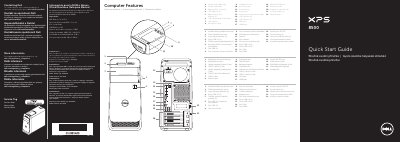
Dell XPS 8500 Computer Quick Start Guide
This Dell quick start guide for the XPS 8500 computer presents the front and rear panel features with numbered callouts, including the media-card reader, optical-drive covers and eject buttons, USB 3.0 and USB 2.0 ports, microphone and headphone ports, power button and power port, network port and lights, VGA and HDMI ports, optical S/P DIF port, six audio ports, four expansion-card slots, and security features.
Setup steps show how to connect the keyboard and mouse, optional network cable, power cable, and display, with a table of VGA, DVI, HDMI, and DisplayPort connection types. The guide also covers completing Windows setup, enabling security, getting started with Windows 8, finding more information, and contacting Dell. Mexico regulatory information lists 100–240 V AC input, 1.70 A maximum input current, and 50–60 Hz input frequency.
Dell 850 specifications
| Form Factor | 1U rack height |
|---|---|
| Processor(s) | Single Intel® Pentium® D (dual-core) processor (up to 3.2GHz) / Single Intel Pentium 4 processor (up to 3.6GHz) / Single Intel Celeron® processor (2.53GHz) |
| Memory | 256MB/8GB DDR-2 533/667 SDRAM |
| Network Interface | Dual embedded Gigabit1 NICs |
| Storage | Up to two 1” SATA or U320 SCSI drives; up to 500GB SATA and 600GB1 SCSI Hard drives |
All Dell 850 documents by type
Day-to-day operation, settings and troubleshooting. Start here if the product is already set up.
- Dell PowerEdge 850 Server User Manual 2 p
- Dell 1850 Projector User's Guide 1 p
- Dell PowerEdge 2850 Server User Manual 30 p
- Dell PowerEdge 850 System Installation and Troubleshooting Guide 158 p
- Dell XPS 8500 Computer Quick Start Guide 2 p
- Dell PowerEdge 6850 Systems User's Guide 28 p
- Dell PowerEdge 2850 Systems User's Guide 29 p
- Dell Inspiron 8500 Laptop User's Guide 186 p
- Dell XPS 8500 Quick Start Guide 2 p
- Dell XPS 8500 Quick Start Guide 2 p
- Dell PowerEdge 1850 Systems Installation and Troubleshooting Guide 73 p
- Dell PowerEdge 2850 Systems Installation and Troubleshooting Guide 76 p
- Dell N5850cc0 Computer Setup Instructions 2 p
- Dell PowerEdge 850 Systems User's Guide 22 p
- Dell Projector 1850 User's Guide 31 p
- Dell Inspiron 8500 Notebook Owner's Manual 186 p
- Dell XPS 8500 Desktop Owner's Manual 138 p
- Dell 1850 Projector User Manual 30 p
- Dell XPS 8500 Desktop Computer User Manual 132 p
- Dell XPS 8500 Desktop Owner's Manual 136 p
- Dell XPS 8500 Desktop User Manual 138 p
- Dell Inspiron 8500 User Manual 160 p
- Dell Inspiron 8500 Owner's Manual 186 p
- Dell PowerEdge Storage Server 6800/6850/6950/2900/2950/2970/1950/1955/1900/SC1430/SC1435/840/860/SC440 User Manual 16 p
- Dell Inspiron 8500 Laptop User Manual 160 p
The shortest path to a working setup, usually only a few pages.
- Dell XPS 8500 Computer Quick Start Guide 2 p
- Dell XPS 8500 Computer Quick Start Guide 2 p
- Dell XPS 8500 Computer Quick Start Guide 2 p
- Dell XPS 8500 Desktop Computer Quick Start Guide 2 p
- Dell XPS 8500 Desktop Computer Quick Start Guide 2 p
- Dell XPS 8500 Computer Quick Start Guide 2 p
- Dell XPS 8500 Quick Start Guide 2 p
- Dell XPS 8500 Computer Quick Start Guide 2 p
- Dell XPS 8500 Computer Quick Start Guide 2 p
- Dell XPS 8500 Computer Quick Start Guide 2 p
- Dell XPS 8500 Computer Quick Start Guide 2 p
- Dell XPS 8500 Quick Start Guide 2 p
- Dell XPS 8500 Quick Start Guide 2 p
- Dell XPS 8500 Quick Start Guide 2 p
Mounting, wiring and first power-up. Read it before the hardware goes in.
Disassembly, diagnostics and part numbers, for repair.
Questions answered in these manuals
What is the maximum memory capacity?
The server supports up to 8GB of ECC DDR2-533/667 memory.
How many network interfaces does it have?
It has dual embedded Gigabit1 NICs for high bandwidth and fail-over.
How do I set video hardware acceleration to Full in Windows Server 2003?
Open Display Properties, click Advanced, open the Troubleshoot tab, move the hardware acceleration slider to Full, then click OK twice.
Why might flat-panel displays roll during Windows Server 2003 installation?
Console redirection may be enabled in the System Setup program.
What is the computer model shown in this guide?
The guide lists computer model XPS 8500, with regulatory model D03M and type D03M005.
Where should I connect the display if my computer has a discrete graphics card?
Connect the display to the port on the optional discrete graphics card.