
Dell XPS 8500 computer quick start guide showing port and feature locations plus steps for connecting keyboard, network, power, and display.
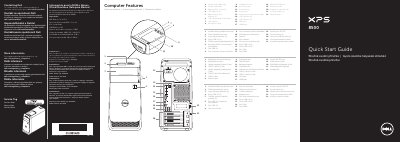
This Dell quick start guide for the XPS 8500 computer presents the front and rear panel features with numbered callouts, including the media-card reader, optical-drive covers and eject buttons, USB 3.0 and USB 2.0 ports, microphone and headphone ports, power button and power port, network port and lights, VGA and HDMI ports, optical S/P DIF port, six audio ports, four expansion-card slots, and security features.
Setup steps show how to connect the keyboard and mouse, optional network cable, power cable, and display, with a table of VGA, DVI, HDMI, and DisplayPort connection types. The guide also covers completing Windows setup, enabling security, getting started with Windows 8, finding more information, and contacting Dell. Mexico regulatory information lists 100–240 V AC input, 1.70 A maximum input current, and 50–60 Hz input frequency.
| Computer model | XPS 8500 |
|---|---|
| Regulatory model | D03M |
| Type | D03M005 |
| Input voltage | 100 V AC–240 V AC |
| Maximum input current | 1.70 A |
| Input frequency | 50 Hz–60 Hz |
| Expansion-card slots | 4 |
| Audio ports | 6 |
| Optical-drive covers | 2 |
The guide lists computer model XPS 8500, with regulatory model D03M and type D03M005.
Connect the display to the port on the optional discrete graphics card.
The Mexico regulatory information lists an input voltage of 100 V AC to 240 V AC.
For sales, technical support, or customer service, go to dell.com/ContactDell.