
Key facts
Start here
Dell OptiPlex 3020M/9020M Quick Start Guide
Quick Start Guide 2 pages · 2.9 MB · EN
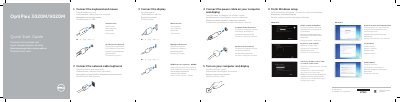
This guide provides step-by-step instructions for setting up the Dell OptiPlex 3020M and 9020M computers. It covers connecting essential peripherals such as the keyboard, mouse, network cable, and display using various connector types including USB, PS/2, VGA, DisplayPort, and HDMI. It also details the process of connecting power cables to both the computer and the display.
Read onlineDell OptiPlex 3020M/9020M specifications
| Regulatory model (3020M) | D08U |
|---|---|
| Regulatory model (9020M) | D09U |
| Regulatory type (3020M) | D08U001 |
| Regulatory type (9020M) | D09U001 |
All Dell OptiPlex 3020M/9020M documents by type
Quick Start Guide 15
The shortest path to a working setup, usually only a few pages.
- Dell OptiPlex 3020M/9020M Quick Start Guide 2 p
- Dell OptiPlex 3020M/9020M Quick Start Guide 2 p
- Dell OptiPlex 3020M/9020M Quick Start Guide 2 p
- Dell OptiPlex 3020M/9020M Quick Start Guide 2 p
- Dell OptiPlex 3020M/9020M Quick Start Guide 2 p
- Dell OptiPlex 3020M/9020M Quick Start Guide 2 p
- Dell OptiPlex 3020M/9020M Quick Start Guide 2 p
- Dell OptiPlex 3020M/9020M Quick Start Guide 2 p
- Dell OptiPlex 3020M/9020M Quick Start Guide 2 p
- Dell OptiPlex 3020M/9020M Quick Start Guide 2 p
- Dell OptiPlex 3020M/9020M Quick Start Guide 2 p
- Dell OptiPlex 3020M/9020M Quick Start Guide 2 p
- Dell OptiPlex 3020M/9020M Quick Start Guide 2 p
- Dell OptiPlex 3020M/9020M Quick Start Guide 2 p
- Dell OptiPlex 3020M/9020M Quick Start Guide 2 p
Questions answered in these manuals
Which display connector is optional and only listed for the 9020M?
The HDMI connector.
How do I connect the display?
Use the VGA, DisplayPort, or optional HDMI connector; the HDMI connector is optional on the 9020M.
Which model has an optional HDMI connector?
The OptiPlex 9020M.
Which connectors are required to connect the keyboard and mouse?
You can use either a USB connector or an optional PS/2 connector.
Which display connectors are available for the OptiPlex 9020M?
The available options include VGA, DisplayPort, or an optional HDMI connector.