
This document describes the various parts of an HP computer, including the power button, power port, network port and network lights, USB 2.0 ports, USB 3.0 ports, VGA port, HDMI port, optical S/P DIF port, audio ports, expansion card slots, security cable slot, and padlock rings.
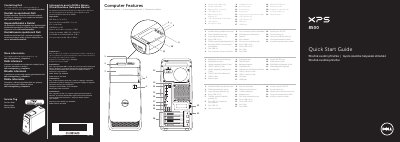
This Quick Start Guide is for the Dell XPS 8500 desktop computer (regulatory model D03M, type D03M005), printed in August 2012. It is written in English, Czech, Hungarian and Slovak, and opens with a numbered illustration of 22 computer features: media-card reader with light, two optical drives, USB 3.0 and USB 2.0 ports (one with PowerShare), microphone and headphone ports, accessory tray, power button and power port, network port with lights, VGA, HDMI, optical S/PDIF and six audio ports, four expansion-card slots, a security-cable slot and padlock rings.
The remaining sections give setup steps: connect the keyboard and mouse, an optional network cable, the display (VGA, DVI, HDMI or DisplayPort, some with optional adapters) and the power cable, then complete Windows setup and enable security. It also covers getting started in Windows 8 (scrolling tiles, Charms sidebar, My Dell Support Center), how to contact Dell at dell.com/ContactDell, regulatory and safety information at dell.com/regulatory_compliance, and Mexican NOM electrical data for the importer Dell México.
| Input voltage | 100 V AC – 240 V AC |
|---|---|
| Maximum input current | 1.70 A |
| Input frequency | 50 Hz – 60 Hz |
Connect the keyboard and mouse, the optional network cable, the display, and then the power cable; press the power button, complete Windows setup and enable security.
The computer supports VGA, DVI, HDMI and DisplayPort connections (DVI and DisplayPort require optional adapters). If the computer was ordered with an optional discrete graphics card, connect the display to the port on that card.
The guide lists two USB 3.0 ports, one USB 2.0 port with PowerShare and one USB 2.0 port, plus four additional USB 2.0 ports and two more USB 3.0 ports.
Contact Dell for sales, technical support or customer service at dell.com/ContactDell, and see regulatory and safety best practices at dell.com/regulatory_compliance.