
Key facts
Start here
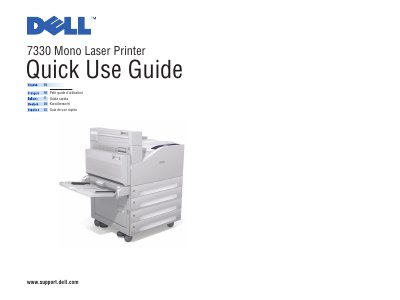
Dell 7330 Mono Laser Printer Quick Use Guide
This six-page quick use guide for the Dell 7330 Mono Laser Printer presents the basic steps for printing and for handling paper. It shows how to confirm or change settings and how to select special features in the Dell printer driver from either a Mac or a PC, and it lists the paper sizes and media weights that the trays accept, including the Tray 1 (MPT) custom size ranges.
The guide also explains the control panel buttons, where the Help button shows more about a message or menu, and what to do when a paper jam occurs. A printer tour identifies the fuser, transfer roller, toner cartridge, drum cartridge and staple cartridge, and the final page points to Dell support, supplies and recycling web addresses.
Dell 7330 specifications
| Processor options | 11th Gen Intel Core i5-1135G7, i5-1145G7, or i7-1185G7 |
|---|---|
| Operating system options | Windows 11 Home/Pro, Windows 10 Pro, or Ubuntu Linux |
| Memory | 8 GB, 16 GB, or 32 GB LPDDR4x 4266 MHz soldered |
| Display | 13.3-inch FHD 1920 x 1080, 1400 nits, touch |
| Storage options | 256 GB to 2 TB PCIe NVMe SSD |
| Battery | 3-cell 53.5 Wh lithium ion, up to two hot-swappable |
| Ingress protection | IP-65 |
| Operating temperature | -20°F to 145°F (-29°C to 63°C) |
| Dimensions and weight | 1.43 x 12.75 x 8.66 in, starting at 5.11 lb |
| Environmental testing | MIL-STD-810H |
Source: Dell Latitude 7330 Rugged Extreme Laptop Product Leaflet
All Dell 7330 documents by type
The shortest path to a working setup, usually only a few pages.
Day-to-day operation, settings and troubleshooting. Start here if the product is already set up.
Mounting, wiring and first power-up. Read it before the hardware goes in.
Questions answered in these manuals
What processor options are available?
The laptop can be configured with 11th Generation Intel Core i5-1135G7, i5-1145G7, or i7-1185G7 processors.
From: Dell Latitude 7330 Rugged Extreme Laptop Product Leaflet
What is the display brightness?
The 13.3-inch FHD touchscreen option is rated at 1400 nits.
From: Dell Latitude 7330 Rugged Extreme Laptop Product Leaflet
How do I clear a paper jam on the Dell 7330?
Press the Help button for jam clearing procedures. You can also view the Status Monitor message or see the Troubleshooting chapter in the User Guide.
How do I select special features when printing?
Select the special features in the Dell printer driver, then confirm or change the settings.
How do I clear a paper jam on the Dell 7330?
Press the Help button on the control panel to see the jam clearing procedure, and check the Status Monitor message or the Troubleshooting chapter in the User Guide.
What does the Help button do?
Pressing it at any time displays additional information about the message or menu shown on the control panel.