
Dell XPS 8500 Quick Start Guide

HP computer quick start guide, introduces the various parts and interfaces of the computer.
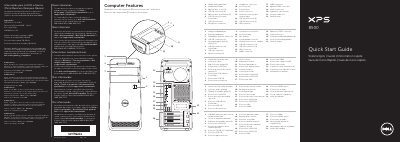

Dell XPS 8500 Quick Start Guide - cover page
Brand
DELL
Category
Desktops
Document type
User Manual
Language
English
Pages
2
File format
PDF
File size
965 KB
Published
24 November, 2023
Updated
24 November, 2023
MD5 checksum
6362250F48FE313FD526E18FE5DB8417

About this manual

This document is a multilingual Quick Start Guide for the Dell XPS 8500 computer. It provides a visual overview of the computer's features, including ports for USB, HDMI, VGA, and optical drives, as well as expansion slots and security options. The guide is printed in multiple languages including English, Dutch, French, Portuguese, and Spanish.

What's inside

  • Computer Features
  • Connect the keyboard and mouse
  • Connect the network cable
  • Connect the power cable
  • Follow Windows setup
  • Locate your service tag
  • Record your Windows password
  • Connect the Display

Specifications

Regulatory ModelD03M
TypeD03M005
Input Voltage100–240 VAC
Input Frequency50–60 Hz
Input Current8.0 A/4.0 A

Frequently asked questions

Where can I find more information about features and advanced options?

Click Start → All Programs → Dell Help Documentation or go to support.dell.com/manuals.

What is the support phone number for customers in the United States?

800-WWW-DELL (800-999-3355).

Download PDF (965 KB)

More DELL Manuals


View all DELL manuals →