
User manual for Dell computers.
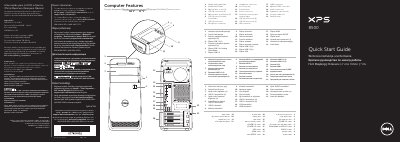
The Dell XPS 8500 quick start guide shows how to set up the computer: connect the keyboard and mouse, connect the network cable if needed, connect the display, connect the power cable, press the power button, follow Windows setup, and record the service tag and Windows password. It also lists the computer features and ports, including the media-card reader, USB 2.0 and USB 3.0 connectors, microphone and headphone connectors, power and network connectors, VGA, HDMI, optical S/PDIF, audio connectors, expansion-card slots, security-cable slot, and padlock rings.
The document includes NOM information for Mexico, giving the importer as Dell México S.A. de C.V., regulatory model D03M, type D03M005, input voltage 100–240 VAC, input frequency 50–60 Hz, and rated input current 8.0 A/4.0 A. It also gives Dell support and contact links.
| Computer model | XPS 8500 |
|---|---|
| Regulatory model | D03M |
| Type | D03M005 |
| Input voltage | 100–240 VAC |
| Input frequency | 50–60 Hz |
| Rated input current | 8.0 A/4.0 A |
The computer model is XPS 8500.
The regulatory model is D03M and the type is D03M005.
It supports 100–240 VAC.
Connect the display to the connector on the discrete graphics card.