
Key facts
Start here
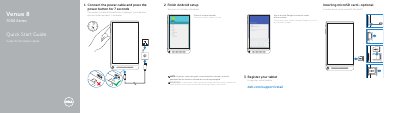
Dell Venue 8 7000 Series (7840) Tablet Quick Start Guide
This guide helps you finish Android setup, register the tablet, connect to a network, and optionally insert a microSD card. It also identifies the tablet's controls and ports, including the power button, volume buttons, microphone, ambient-light sensor, front camera, headset port, micro-USB/charging port, speaker, service tag label, microSD-card slot, and Intel RealSense Snapshot.
Product support and manuals are available at dell.com/support and dell.com/support/manuals. The guide lists the tablet model as Venue 8 7840, with regulatory model T02E and regulatory type T02E001.
Dell Venue 8 7000 Series specifications
| Regulatory model | T02E |
|---|---|
| Regulatory type | T02E001 |
| Tablet model | Venue 8 7840 |
All Dell Venue 8 7000 Series documents by type
The shortest path to a working setup, usually only a few pages.
Day-to-day operation, settings and troubleshooting. Start here if the product is already set up.
Questions answered in these manuals
How long do I press the power button?
Connect the power cable and press the power button for 7 seconds.
From: Dell Venue 8 7000 Series (7840) Tablet Quick Start Guide
Is inserting a microSD card required?
No, inserting a microSD card is optional.
From: Dell Venue 8 7000 Series (7840) Tablet Quick Start Guide
How long should the power button be pressed during initial setup?
Press the power button for 7 seconds.
Is inserting a microSD card required?
No, inserting a microSD card is optional.
How long should I press the power button during setup?
Connect the power cable and press the power button for 7 seconds.
Is a microSD card required?
Inserting a microSD card is optional.