
Dell XPS 8500 Quick Start Guide

User manual for Dell computers.
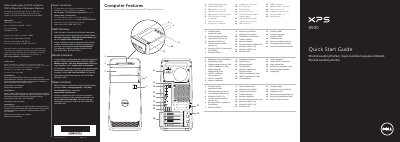

Dell XPS 8500 Quick Start Guide - cover page
Brand
DELL
Category
Desktops
Document type
Quick Start Guide
Language
Spanish
Pages
2
File format
PDF
File size
1 MB
Published
25 November, 2023
Updated
25 November, 2023
MD5 checksum
5435FF12CCAA07E7B1F4675592E3AC25

About this manual

This guide helps you quickly set up your Dell XPS 8500 computer. It includes instructions for connecting the keyboard, mouse, power, and display. It also covers connecting network cables and following Windows setup steps.

The guide is multilingual, providing instructions in Spanish, Czech, Hungarian, and other languages. It includes diagrams of the computer’s ports and connectors, such as USB, HDMI, VGA, and audio jacks. This manual is written in Spanish.

What's inside

  • Quick Start Guide
  • Connect the keyboard and mouse
  • Connect the network cable
  • Connect the power cable
  • Follow Windows setup
  • Locate your service tag
  • Record your service tag
  • Record your Windows password
  • Connect the Display
  • Connection Type

Frequently asked questions

What is the input voltage range for the Dell XPS 8500?

The input voltage range is 100–240 VAC.

What is the regulatory model number for the Dell XPS 8500?

The regulatory model number is D03M.

What is the power button location on the Dell XPS 8500?

The power button is located at position 11 on the front panel.

What is the service tag used for?

The service tag is used to locate your computer for service or support.

Download PDF (1 MB)

More DELL Manuals


View all DELL manuals →