
Key facts
- Brand
- DELL
- Model
- 580
- Category
- Desktops
- Industry
- Electronics
- Documents
- 51
- Languages
- ZH · EN · PT · ES · FR · ID · RO · IT
- Last added
- 2026-11-20
Start here
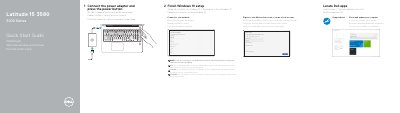
Dell Latitude 15 3580 3000 Series Notebook Quick Start Guide
This quick start guide helps set up a Dell Latitude 15 3580 3000 Series notebook. It outlines locating Dell apps, checking and updating the computer, connecting the power adapter, finishing Windows 10 setup, connecting to a network, and signing in.
The guide also identifies notebook features and ports, including camera, microphones, USB, HDMI, VGA, network, power adapter, memory card reader, fingerprint reader, and service tag. It lists product support, manuals, contact, and regulatory information.
Dell 580 specifications
| Processor L1 Cache | 显示处理器一级高速缓存的容量 |
|---|---|
| Processor L2 Cache | 显示处理器二级高速缓存的容量 |
| Processor L3 Cache | 显示处理器三级高速缓存的容量 |
| Memory Installed | 指示已安装内存的容量 |
| Memory Speed | 指示已安装内存的频率 |
Source: Dell Inspiron 580 Service Manual
All Dell 580 documents by type
Disassembly, diagnostics and part numbers, for repair.
- Dell Inspiron 580 Service Manual 47 p
- Dell Vostro 3580 Service Manual 90 p
- Dell Inspiron 3580 Maintenance Guide 114 p
- Dell Inspiron 3580 Service Manual 112 p
- Dell Inspiron 580s Service Manual 45 p
- Dell Inspiron 580s Service Manual 45 p
- Dell OptiPlex 580 Desktop Service Manual 48 p
- Dell OptiPlex 580 Mini Tower Computer Service Manual 54 p
- Dell OptiPlex 580 Service Manual 53 p
- Dell OptiPlex 580 Service Manual 48 p
- Dell OptiPlex 580 Service Manual 53 p
- Dell OptiPlex 580 Service Manual Mini Tower Notes, Cautions, and Warnings 54 p
- Dell OptiPlex 580 Mini Tower Service Manual 54 p
- Dell Inspiron 580s Service Manual 45 p
- Dell Inspiron 580 Service Manual 41 p
- Dell Inspiron 7580 Laptop Service Manual 81 p
- Dell Vostro 15-7580 Service Manual 103 p
- Dell Inspiron 580s Service Manual 41 p
- Dell OptiPlex 580 Desktop Service Manual 49 p
- Dell OptiPlex 580 Desktop Service Manual 49 p
- Dell Inspiron 580s Service Manual 45 p
- Dell Inspiron 580 Service Manual 39 p
- Dell OptiPlex 580 Desktop Service Manual 49 p
- Dell Inspiron 580 Service Manual 41 p
- Dell Inspiron 580 Service Manual 41 p
The shortest path to a working setup, usually only a few pages.
- Dell Latitude 15 3580 3000 Series Notebook Quick Start Guide 2 p
- Dell Latitude 15 3580 3000 Series Notebook Quick Start Guide 2 p
- Dell Latitude 15 3580 3000 Series Quick Start Guide 2 p
- Dell Latitude 15 3580 3000 Series Quick Start Guide 2 p
- Dell Latitude 15 3580 3000 Series Notebook Quick Start Guide 2 p
- Dell Latitude 15 3580 3000 Series Quick Start Guide 2 p
- Dell Latitude 15 3580 3000 Series Quick Start Guide 2 p
- Dell Latitude 15 3580 3000 Series Quick Start Guide 2 p
- Dell Latitude 5580 Quick Start Guide 2 p
- Dell Vostro 15 7580 Computer Quick Start Guide 2 p
- Dell Latitude 15 3580 3000 Series Quick Start Guide 2 p
- Dell Latitude 5580 Quick Start Guide 2 p
- Dell Latitude 5580 Laptop Quick Start Guide 2 p
Day-to-day operation, settings and troubleshooting. Start here if the product is already set up.
- Dell Vostro 3580 Setup and Specifications Guide 31 p
- Dell Inspiron 3580 Setup and Specifications Manual 23 p
- Dell Vostro 3580 User Guide 31 p
- Dell Latitude 5580 Quick Start Guide 2 p
- Dell Inspiron 580s Desktop Setup Guide 69 p
- Dell Latitude 3580 User Manual 52 p
- Dell Latitude 5580 Quick Start Guide 2 p
- Dell Latitude 5580 Owner's Manual 97 p
- Dell Latitude 3580 Computer User Manual 51 p
Mounting, wiring and first power-up. Read it before the hardware goes in.
Questions answered in these manuals
How do I enter the BIOS on a Dell Inspiron 580?
Press <F2> immediately when the DELL logo appears. If the system boots into Windows, restart and try again.
How to reset BIOS settings to default?
Use the 3-pin CMOS reset jumper on the motherboard: move it from pins 2-3 to 1-2, wait 5 seconds, then return it to 2-3.
What should I do when connecting to a secured wireless network?
Enter the password for the wireless network access when prompted.
From: Dell Latitude 15 3580 3000 Series Notebook Quick Start Guide
Which features are touch-version only?
Infrared camera, infrared emitter, camera status light, camera, and microphones are touch version only.
From: Dell Latitude 15 3580 3000 Series Notebook Quick Start Guide
What is the minimum capacity required for a USB recovery drive?
A minimum capacity of 16 GB is required for the USB flash drive.
How do you enter the System BIOS configuration?
Press F2 immediately after a power-on or reboot to enter System BIOS.