
Key facts
- Brand
- Casio
- Model
- EX-Z60
- Category
- Digital cameras
- Industry
- Electronics
- Documents
- 4
- Languages
- EN · IT
- Last added
- 2012-06-06
Start here
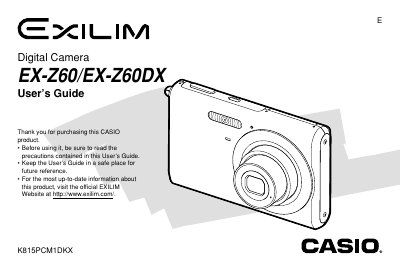
Casio EX-Z60 Digital Camera User's Guide
This document is the official User's Guide for the Casio EX-Z60 and EX-Z60DX digital cameras. It covers essential topics such as unpacking the device, basic image recording using Easy Mode, utilizing various shooting functions like zoom and flash, and configuring camera settings including white balance and exposure compensation.
The manual also details how to play back and edit recorded images and movies, manage files on built-in memory or memory cards, print photos directly via PictBridge, and transfer data to Windows or Macintosh computers.
Casio EX-Z60 specifications
| Dimensions (W×H×D) | 33 mm × 50 mm × 47 mm (excluding protrusions) |
|---|---|
| Weight (without battery and accessories) | ≈118 g |
| Battery type | Lithium‑ion rechargeable (NP‑20) |
| Battery capacity | 700 mAh |
| Battery voltage | 3.7 V |
| Power consumption | 4.5 W |
| Operating temperature | 0 °C to 40 °C |
| AC input voltage | 100 V to 240 V, 50/60 Hz |
All Casio EX-Z60 documents by type
Day-to-day operation, settings and troubleshooting. Start here if the product is already set up.
Questions answered in these manuals
How do I change the display language?
You can configure the display language settings within the camera's menu system as described in the 'Configuring Display Language and Clock Settings' section.
Can I print images directly from the camera?
Yes, you can use PictBridge or USB DIRECT-PRINT to configure print settings for single or all images.
What is the power requirement for the Special AC Adaptor (Inlet Type)?
The Special AC Adaptor (Inlet Type) requires a power input of 100 to 240V AC, 50/60Hz, 83mA.
What is the output voltage and current for the Special AC Adaptor (Plug-in Type)?
The Special AC Adaptor (Plug-in Type) provides an output of +5.3V DC, 650mA.
How do I charge the EX‑Z60 battery?
Insert the battery into the supplied NP‑20 charger and connect the charger to an AC outlet; the manual shows the charging procedure in the Battery Charging section.
How can I delete all files from the camera?
Select the Delete All Files option in the menu to remove every image stored on the internal memory or memory card.