
Key facts
- Brand
- Casio
- Model
- EX-Z55
- Category
- Digital cameras
- Industry
- Electronics
- Documents
- 3
- Languages
- EN · ZH
- Last added
- 2012-06-06
Start here
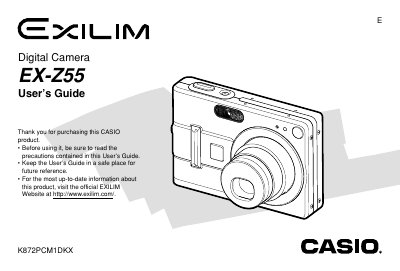
Casio EX-Z55 Digital Camera User's Guide
The Casio EX-Z55 is a compact digital camera featuring optical zoom, digital zoom, and various shooting modes such as Macro, Pan Focus, and Infinity. It supports both built-in memory and SD cards for storage and includes features like flash assist, self-timer, and image review.
Read onlineCasio EX-Z55 specifications
| Dimensions (Camera) | 87(W) x 58(H) x 22.5(D) mm |
|---|---|
| Weight (Camera) | Approximately 130 g |
| Battery Type | Rechargeable Lithium ion Battery (NP-40) |
| Power Requirement | 3.7V DC Approximately 2.9W |
All Casio EX-Z55 documents by type
Day-to-day operation, settings and troubleshooting. Start here if the product is already set up.
Questions answered in these manuals
What type of battery does the camera use?
The camera uses a Rechargeable Lithium ion Battery (NP-40).
How do I charge the battery?
You must use the included USB Cradle (CA-24) and Special AC Adaptor to charge the NP-40 battery.
Can I use other batteries with the EX‑Z55?
No, only the dedicated NP‑40 rechargeable battery may be used.
What happens to the date and time settings when the battery is removed?
When power is completely cut off, the date and time settings are cleared and must be reconfigured.
How do I charge the EX‑Z55 battery?
Use the supplied NP‑40 lithium‑ion rechargeable battery; do not use any other type of battery.
What happens to the date and time settings when the camera loses power?
When power is completely cut off, the date and time settings are cleared and must be re‑configured after power is restored.