
Brother HL-4570CDW Quick Start Guide

This document provides quick installation instructions for the Brother HL-4570CDW printer, covering unpacking, setup, and driver installation.
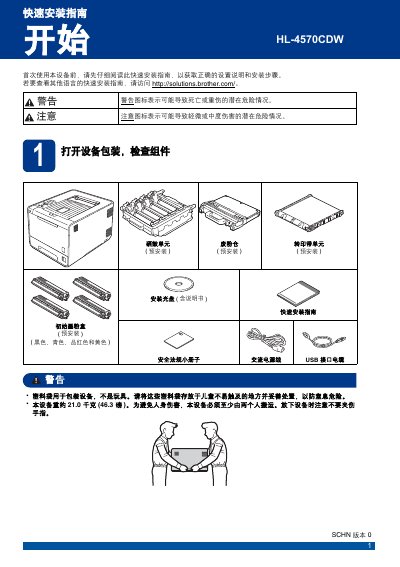

Brother HL-4570CDW Quick Start Guide - cover page
Brand
Brother
Category
Printer
Document type
Quick Start Guide
Language
Chinese
Pages
28
File format
PDF
File size
4 MB
Published
18 October, 2026
Updated
18 October, 2026
MD5 checksum
C00C9F5CFB262FA3E92823604BB21C53

About this manual

This Quick Start Guide for the Brother HL-4570CDW printer outlines the essential steps for initial setup. It covers unpacking the device, removing protective packaging, loading paper, and printing a test page to verify functionality. The guide also includes instructions for setting the display language and preparing the device for connection. This manual is written in Chinese.

What's inside

  • Unpacking the Device
  • Removing Protective Packaging
  • Loading Paper
  • Printing a Test Page
  • Setting Language
  • Windows USB Installation
  • Macintosh USB Installation
  • Windows Wired Network Installation
  • Macintosh Wired Network Installation
  • Wireless Installation

Frequently asked questions

How many people are required to move the device safely?

The device must be moved by at least two people to avoid personal injury.

What is the approximate weight of the device?

The device weighs approximately 21.0 kilograms (46.3 pounds).

What is the maximum recommended length for the USB cable?

Brother recommends using a USB cable no longer than 2 meters.

Download PDF (4 MB)

More Brother Manuals


View all Brother manuals →