
Key facts
Start here
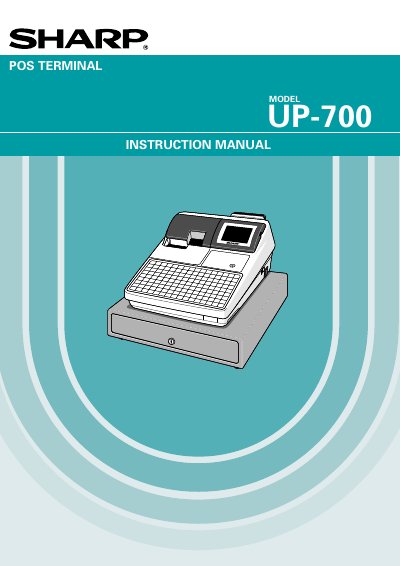
Sharp UP-700 POS Terminal User Manual
The document serves as a comprehensive user guide for the Sharp UP-700 POS Terminal. It covers essential safety precautions, hardware descriptions including the display, keyboard, and printer components, and detailed instructions on proper installation and initial setup procedures such as charging the internal battery pack.
The manual details extensive operational capabilities of the terminal, including item entry methods (single, repeat, split-pricing), various transaction types like cash, check, credit, and food stamp processing, tax calculations, and refund handling. It also provides step-by-step instructions for programming the device to manage articles, departments, PLUs/UPCs, discounts, gratuity, and custom text printing.
Sharp UP-700 specifications
| Power Input | 120V AC (standard wall outlet) |
|---|---|
| Battery Type | Nickel Metal Hydride (rechargeable) |
| Initial Battery Charge Time | 24 to 48 hours |
All Sharp UP-700 documents by type
Day-to-day operation, settings and troubleshooting. Start here if the product is already set up.
Questions answered in these manuals
What power requirements are needed to operate the POS terminal?
The unit plugs into any standard wall outlet providing 120V AC with a dedicated earth-ground.
How long should the machine be charged before its first use?
It is recommended to allow the unit to charge for 24 to 48 hours prior to customer use.
How should the POS terminal be charged before initial use?
It is recommended that each unit be allowed to charge for a period of 24 to 48 hours prior to use by the customer.
What type of battery does the POS terminal contain?
The terminal contains a Nickel Metal Hydride Battery.
Where should the POS terminal be installed to avoid damage?
Install the terminal away from direct sunlight, extreme temperature changes, high humidity, water sources, heat, and magnetic sources.
How should the built‑in battery be prepared before first use?
Plug the terminal into AC power and set the power switch to ON for 24‑48 hours to fully charge the battery.