
Key facts
- Brand
- Sharp
- Model
- YO-290
- Category
- Other Computer Accessories
- Documents
- 3
- Languages
- EN
- Last added
- 2012-08-02
Start here
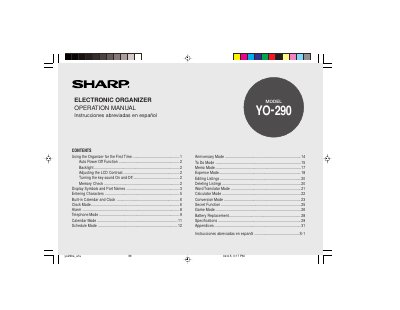
Sharp YO290E Electronic Organizer Operation Manual
The document serves as an operation manual for the Sharp YO290E electronic organizer. It details initial setup procedures, including battery installation and memory initialization via the RESET switch. The guide explains how to use the device's built-in calendar and clock features, which support dates from 1950 to 2150.
Read onlineSharp YO-290 specifications
| Supported Organizers | YO-290, ZQ-290, EL-6990 |
|---|---|
| Minimum RAM for Windows XP | 128 MB RAM |
| Minimum RAM for Windows Me/2000/98 | 64 MB RAM |
| Minimum CPU for Windows XP | Pentium / Celeron Family 300 MHz |
| Maximum Entries (YO/ZQ290) | Tel: 290; other application: 2048 |
| Maximum Entries (EL-6990) | Tel: 290; other application: 920 |
Source: Sharp PC Interface Software User's Guide for EL-6990/YO-290/ZQ-290
All Sharp YO-290 documents by type
Day-to-day operation, settings and troubleshooting. Start here if the product is already set up.
Questions answered in these manuals
What happens if no keys are pressed for approximately 7 minutes?
The Organizer automatically turns the power off to save the operating battery.
What is the maximum date range supported by the calendar and clock modes?
The Organizer allows you to enter dates between Jan. 1, 1950 and Dec. 31, 2150.
What must be done before using the Organizer for the first time?
You must pull out the battery insulation sheets from the battery compartment and press the RESET switch.
How long does the Organizer wait before automatically turning off the power?
The Organizer automatically turns the power off when none of the keys has been pressed or tapped for approximately 7 minutes.
Which Sharp organizers are supported by this software?
The software is intended for use with the YO-290, ZQ-290, and EL-6990 organizers.
From: Sharp PC Interface Software User's Guide for EL-6990/YO-290/ZQ-290
Can I import data from a CE-491W?
Yes, the software enables you to import data files created using a CE-491W.
From: Sharp PC Interface Software User's Guide for EL-6990/YO-290/ZQ-290