
Key facts
- Brand
- Sharp
- Model
- ZQ-290
- Documents
- 2
- Languages
- EN
- Last added
- 2012-08-02
Start here
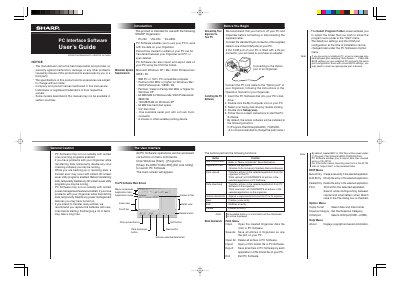
Sharp PC Interface Software User's Guide for EL-6990/YO-ZQ-290 Organizers
The document is a user's guide for the Sharp PC Interface Software, designed to work with specific Sharp Organizers including the EL-6990 and YO-ZQ-290 models. It details how to install the software on a compatible Windows system (XP, Me, 2000 Professional, or 98SE) using a serial port connection.
Read onlineSharp ZQ-290 specifications
| Compatible Organizers | YO-290, ZQ-290, EL-6990 |
|---|---|
| Minimum RAM (Windows XP) | 128 MB |
| Maximum Entries (YO/ZQ-290) | Tel: 290; other application: 2048 per application |
| Maximum Entries (EL-6990) | Tel: 290; other application: 920 per application |
Source: Sharp PC Interface Software User's Guide for EL-6990/YO-ZQ-290 Organizers
All Sharp ZQ-290 documents by type
Day-to-day operation, settings and troubleshooting. Start here if the product is already set up.
Questions answered in these manuals
Can I import data from a CE-491W?
Yes, the software enables you to import data files created using a CE-491W.
From: Sharp PC Interface Software User's Guide for EL-6990/YO-ZQ-290 Organizers
What happens if I upload entries from my Organizer?
All entries in the selected application on your PC will be overwritten and deleted by the transferred data.
From: Sharp PC Interface Software User's Guide for EL-6990/YO-ZQ-290 Organizers
Which Sharp organizers are supported by this software?
The software is intended for use with the YO-290, ZQ-290, and EL-6990 organizers.
From: Sharp PC Interface Software User's Guide for EL-6990/YO-290/ZQ-290
Can I import data from a CE-491W?
Yes, the software enables you to import data files created using a CE-491W.
From: Sharp PC Interface Software User's Guide for EL-6990/YO-290/ZQ-290