
Key facts
Start here
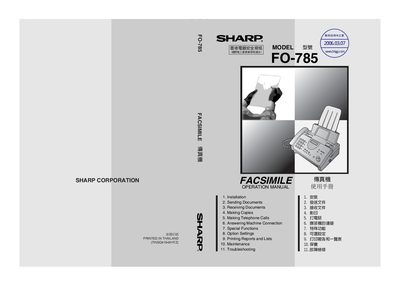
Sharp FO-785 Fax User Manual
This manual covers everything you need to install and start using the Sharp FO-785 fax machine, including unpacking, connecting telephone lines, loading imaging film and paper, and configuring basic settings such as date, time, and reception mode.
It also details how to send and receive faxes, make copies, use special functions like Caller ID and duplex ringing, perform routine maintenance, troubleshoot common problems, and understand the technical specifications of the device.
Sharp FO-785 specifications
| Modem speed | 14400 bps (auto fallback) |
|---|---|
| Memory size | 512 KB |
| Automatic document feeder capacity | 10 sheets |
| Horizontal resolution | 8 lines/mm |
| Vertical resolution (standard) | 3.85 lines/mm |
| Power consumption (stand‑by) | 2.3 W |
| Power consumption (maximum) | 115 W |
| Dimensions (W×D×H) | 343 mm × 313 mm × 312 mm |
| Weight | ≈3.4 kg |
| Power requirements | 220‑240 V AC, 50/60 Hz |
| Operating temperature | 5 °C to 35 °C |
| Maximum humidity | 85 % |
Source: Sharp FO-785 Fax User Manual
All Sharp FO-785 documents by type
Day-to-day operation, settings and troubleshooting. Start here if the product is already set up.
Questions answered in these manuals
What is the maximum capacity of the automatic document feeder?
The automatic document feeder can hold up to 10 sheets.
What modem speed does the Sharp FO-785 support?
It supports a modem speed of 14400 bps with automatic fallback to lower speeds.
What is the memory capacity of the Sharp FO-785 fax?
It has a 512 KB memory, which holds about 30 average pages when ECM is turned off.
What power does the Sharp FO-785 consume in standby and maximum modes?
Stand‑by power consumption is 2.3 W, and the maximum power consumption is 115 W.