
Key facts
- Brand
- Sharp
- Model
- LC-13S
- Category
- Television
- Industry
- Electronics
- Documents
- 6
- Languages
- EN · JA
- Last added
- 2012-08-02
Start here
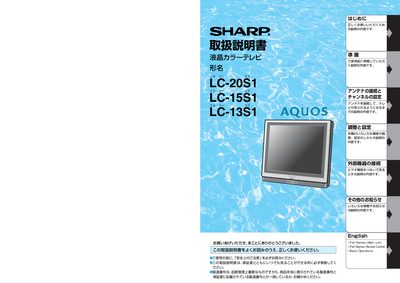
SHARP LC-20S1 LC-15S1 LC-13S1 Manual
This manual covers Sharp's LC‑20S1, LC‑15S1, and LC‑13S liquid‑crystal color televisions. It guides users through safe installation, antenna connection, channel setup, and basic operation of the TV sets.
Key sections include safety precautions, power and voltage requirements, external device connections, menu navigation, volume control, and warranty information. The document also provides troubleshooting tips and maintenance advice to keep the TV performing reliably. This manual is written in Japanese.
Sharp LC-13S specifications
| Supported CATV channel range | C13–C38 |
|---|---|
| Required AC voltage | 100 V AC |
| Power indicator colors | Green when on, red when off |
All Sharp LC-13S documents by type
Day-to-day operation, settings and troubleshooting. Start here if the product is already set up.
- Sharp LC-13SH4U/LC-15SH4U/LC-20SH4U Liquid Crystal Television Operation Manual 32 p
- Sharp LC-13SH1U/LC-15SH1U/LC-20SH1U LCD Color TV Operation Manual 4 p
- Sharp LC-13S2U/LC-15S2U/LC-20S2U Liquid Crystal Television Operation Manual 57 p
- Sharp LC-13S1U/LC-15S1U/LC-20S1U Liquid Crystal Television Operation Manual 59 p
- Sharp LC-13S1H/LC-15S1H/LC-20S1H LCD Colour Television Operation Manual 39 p
- SHARP LC-20S1 LC-15S1 LC-13S1 Manual 96 p
Questions answered in these manuals
What type of television does this manual cover?
This manual is for Sharp Liquid Crystal Televisions with the models LC-13SH4U, LC-15SH4U, and LC-20SH4U.
From: Sharp LC-13SH4U/LC-15SH4U/LC-20SH4U Liquid Crystal Television Operation Manual
How many thin film transistors are in the Liquid Crystal panel?
The Liquid Crystal panel contains 221,600 thin film transistors.
From: Sharp LC-13SH4U/LC-15SH4U/LC-20SH4U Liquid Crystal Television Operation Manual
What are the supported channel selection capabilities?
The TV supports 181 Channel Selection, including all VHF/UHF channels plus up to 125 cable channels.
From: Sharp LC-13SH1U/LC-15SH1U/LC-20SH1U LCD Color TV Operation Manual
How does the Auto Shut Off function work?
If there is no signal input from the antenna terminal and no user operation for 15 minutes, the TV will turn itself off automatically.
From: Sharp LC-13SH1U/LC-15SH1U/LC-20SH1U LCD Color TV Operation Manual
Can I use attachments not recommended by the manufacturer?
No, do not use attachments not recommended by the manufacturer as they can result in accidents.
From: Sharp LC-13S2U/LC-15S2U/LC-20S2U Liquid Crystal Television Operation Manual
What type of power source must this television operate on?
The product must operate on a power source specified on the specification label.
From: Sharp LC-13S2U/LC-15S2U/LC-20S2U Liquid Crystal Television Operation Manual