
Key facts
- Brand
- Sharp
- Model
- EL-W531, EL-W531G, EL-W531H
- Category
- Other
- Industry
- Electronics
- Documents
- 3
- Languages
- EN
- Last added
- 2026-09-28
Start here
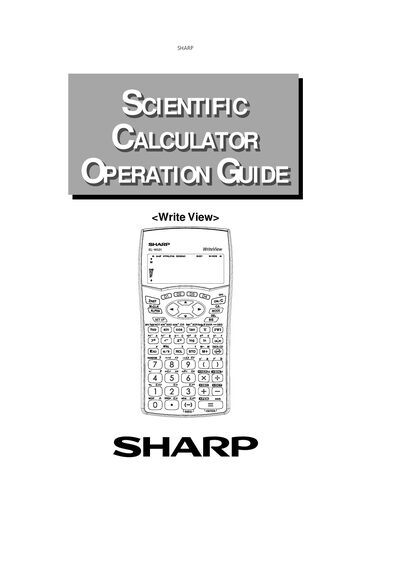
Sharp EL-W531/EL-W531G/EL-W531H Scientific Calculator User Manual
This Sharp user manual provides detailed instructions for operating the EL-W531, EL-W531G, and EL-W531H scientific calculators. It explains key layouts, display modes, statistical functions, and how to perform calculations ranging from basic arithmetic to advanced regression.
The guide also covers practical features such as resetting the device, generating random numbers, and configuring display formats like scientific (SCI) and engineering (ENG) notation. Each section includes examples to help users apply functions correctly.
Sharp EL-W531, EL-W531G, EL-W531H specifications
| Display range (NORM1) | 0.000000001 ≤ x ≤ 9 999 999 999 |
|---|---|
| Display range (NORM2) | 0.01 ≤ x ≤ 9 999 999 999 |
| Angular unit indicator | DEG, RAD, GRAD selectable via DRG key |
| Reset function | Restores initial display format and mode |
| Random number range | 0.000 to 0.999 (three‑decimal places) |
Source: Sharp EL-W531/EL-W531G/EL-W531H Scientific Calculator User Manual
All Sharp EL-W531, EL-W531G, EL-W531H documents by type
Day-to-day operation, settings and troubleshooting. Start here if the product is already set up.
Questions answered in these manuals
How do I reset the calculator to its default settings?
Press the reset switch on the back of the calculator; this returns the display format and calculation mode to their initial settings.
From: Sharp EL-W531/EL-W531G/EL-W531H Scientific Calculator User Manual
How can I generate a random integer with the calculator?
Use the Random key; it generates an integer between 0 and 99 each time you press it.
From: Sharp EL-W531/EL-W531G/EL-W531H Scientific Calculator User Manual
How do I adjust the display contrast?
Press then or to adjust the contrast, and press to exit.
From: SHARP EL-W531 EL-W531G EL-W531H EL-W531HA EL-W535 Operation Manual
When should I use the RESET switch?
Use it when using for the first time, after replacing the battery, to clear all memory contents, or if keys are inoperative.
From: SHARP EL-W531 EL-W531G EL-W531H EL-W531HA EL-W535 Operation Manual
How do I reset the calculator?
Press the RESET switch on the back with the tip of a ball‑point pen or similar object.
From: SHARP EL-W531 EL-W531G EL-W531H EL-W531HA EL-W535 Manual
How many characters can be stored in memory?
The calculator can store up to 340 characters in its memory.
From: SHARP EL-W531 EL-W531G EL-W531H EL-W531HA EL-W535 Manual