
Key facts
- Brand
- Sharp
- Model
- CD-G10000
- Documents
- 2
- Languages
- EN
- Last added
- 2012-08-03
Start here
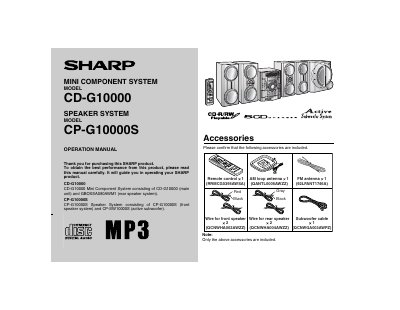
Sharp CD-G10000 Mini Component System Operation Manual
The document is an operation manual for the Sharp CD-G10000 Mini Component System. It details the system's components, which include the main unit (CD-G10000) and a rear speaker system (GBOXSACSCAWM1). The text also references a related speaker system model, CP-G10000S.
The manual begins with important safety notes and warnings regarding electric shock, fire hazards, and proper ventilation. It lists included accessories such as remote controls and antennas before proceeding to operational instructions.
All Sharp CD-G10000 documents by type
Day-to-day operation, settings and troubleshooting. Start here if the product is already set up.
Questions answered in these manuals
What happens when the unit is plugged in for the first time?
The unit will enter the demonstration mode, and words will scroll on the display.
How do you start the automatic scanning of radio stations?
Press the TUNING button for more than 0.5 seconds to start scanning automatically.
What components make up the CD-G10000 Mini Component System?
The system consists of the CD-G10000 main unit and the GBOXSACSCAWM1 rear speaker system.
From: Sharp CD-G10000 Mini Component System Operation Manual
What is required to clean this product safely?
You must unplug the product from the wall outlet before cleaning it.
From: Sharp CD-G10000 Mini Component System Operation Manual