
Key facts
- Brand
- Sharp
- Model
- TM-20
- Documents
- 2
- Languages
- EN
- Last added
- 2012-08-02
Start here
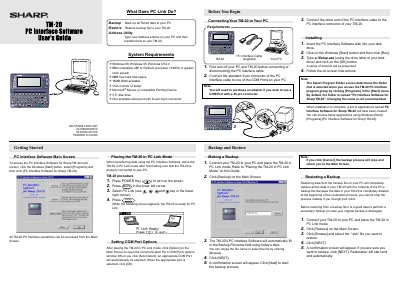
Sharp TM-20 PC Interface Operation Manual
This document is an operation guide for the Sharp TM-20 PC Interface. It details the installation process for the accompanying software on Windows systems (98, 95, NT4.0) and explains how to configure communication settings.
The manual covers connecting the device via a serial cable, placing the TM-20 into 'PC Link Mode', and using the Address Utility to transfer data between the PC and the device. It also includes procedures for backing up and restoring data.
Sharp TM-20 specifications
| System Requirements (OS) | Windows 98, Windows 95, Windows NT4.0 |
|---|---|
| Processor Requirement | IBM-compatible 486 or Pentium processor (33MHz or greater) |
| RAM Requirement | 16MB RAM available |
| Disk Space Requirement | 8MB free hard disk space |
| Display Requirement | VGA monitor of better |
All Sharp TM-20 documents by type
Day-to-day operation, settings and troubleshooting. Start here if the product is already set up.
Disassembly, diagnostics and part numbers, for repair.
Questions answered in these manuals
Can I make entries on my TM-20 and send them to my PC and then edit them using the Address Utility?
No. You can only send data from your PC to your TM-20.
If I turn off my PC with data remaining in the Waiting field, will the data be kept?
Yes. Data remaining in the Waiting field will not be lost if you turn off your PC.
How should user data be backed up before servicing the TM200?
Use the Sharp Program Support Tool (SPST) to back up the handset’s data before any repair work.
How can static damage be prevented during repair?
Wear static‑electricity prevention bands while servicing the handset.