
Key facts
- Brand
- Sharp
- Model
- MX-2310U
- Industry
- Appliances
- Documents
- 2
- Languages
- EN
- Last added
- 2026-10-16
Start here
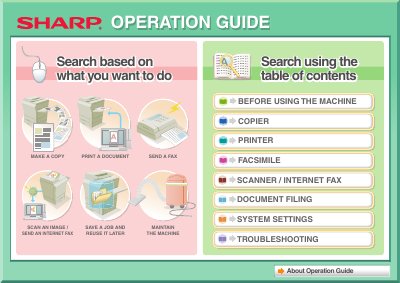
Sharp MX-2310U Operation Guide
The Sharp MX-2310U is a multifunction machine designed to perform various office tasks including making copies, printing documents, sending faxes, and scanning images. The guide provides instructions on how to use these core functions effectively.
Read onlineAll SHARP MX-2310U documents by type
Day-to-day operation, settings and troubleshooting. Start here if the product is already set up.
Questions answered in these manuals
What type of power cord is required to reduce the risk of fire?
You must use only a UL-Listed No.26 AWG or larger telecommunication line cord.
From: SHARP MX-2310U Digital Full Color Multifunctional System Start Guide
How should the machine be secured to the floor after installation?
You must lower the adjusters to the floor and rotate them in the locking direction until they are in firm contact.
From: SHARP MX-2310U Digital Full Color Multifunctional System Start Guide
What is the default administrator password?
The factory default administrator password is found in the Start Guide under 'TO THE ADMINISTRATOR OF THE MACHINE'.
How can I assemble output into a pamphlet?
You can create a stapled pamphlet by punching holes in the output and adding a blank margin for binding.